


Migrating Termux to F-Droid
Why Termux left the Google Play Store, and how to replace the Play Store version with the F-Droid build so packages and Andronix keep working.
Docs for Andronix app 8.x (Classic)
This page explains the recent changes to Termux's package repositories and walks you through moving from the Google Play Store version of Termux to the F-Droid version.
What are the recent changes made to Termux?
All Termux repositories previously hosted on JFrog Bintray have been down since 1st May 2021. This means that every repository hosted on the dl.bintray.com domain is no longer available. The cause is JFrog's withdrawal of the Bintray hosting service (read more about that here).
F-Droid hosts the latest stable versions of Termux, which are no longer released on the Play Store. That is why you should have the latest version from F-Droid installed.
Okay, but what is F-Droid, you ask?
F-Droid is an installable catalog of FOSS (Free and Open Source Software) applications for the Android platform. In simpler terms, F-Droid is like the Play Store for open-source Android apps.
Is it safe?
F-Droid is entirely open source, and millions of eyes monitor the source code of the apps submitted to it. It has strict compliance rules for app submissions and zero tolerance for Google APIs. Please read Termux Security for more on the safety of these binaries.
How can I migrate?
There are two ways to migrate to the Termux build published on F-Droid.
Integrated Method
Manual Method
If you haven't installed Termux through the F-Droid client, or by downloading and installing its APK file directly, chances are you're still running the Google Play Store version. In that case, follow the steps below.
Uninstall Termux
Uninstall your current installation of Termux.
This will remove all distros and any other Termux data you might have, but it is a necessary step to avoid version conflicts. If you want to back up your data first, please follow this guide.
Download Termux
You can download the latest version of the Termux app from Andronix's Termux Release Mirror.
Download Termux
Alternatively, you can visit https://f-droid.org/en/packages/com.termux/ and download the APK of the latest version of Termux. You can also download and install the F-Droid client, which helps you manage future updates.
Download APK
Once you've downloaded the APK, the next step is to Allow installation from Unknown Sources.
Click on File
Tap the downloaded file, and you might see a popup like the one shown below:
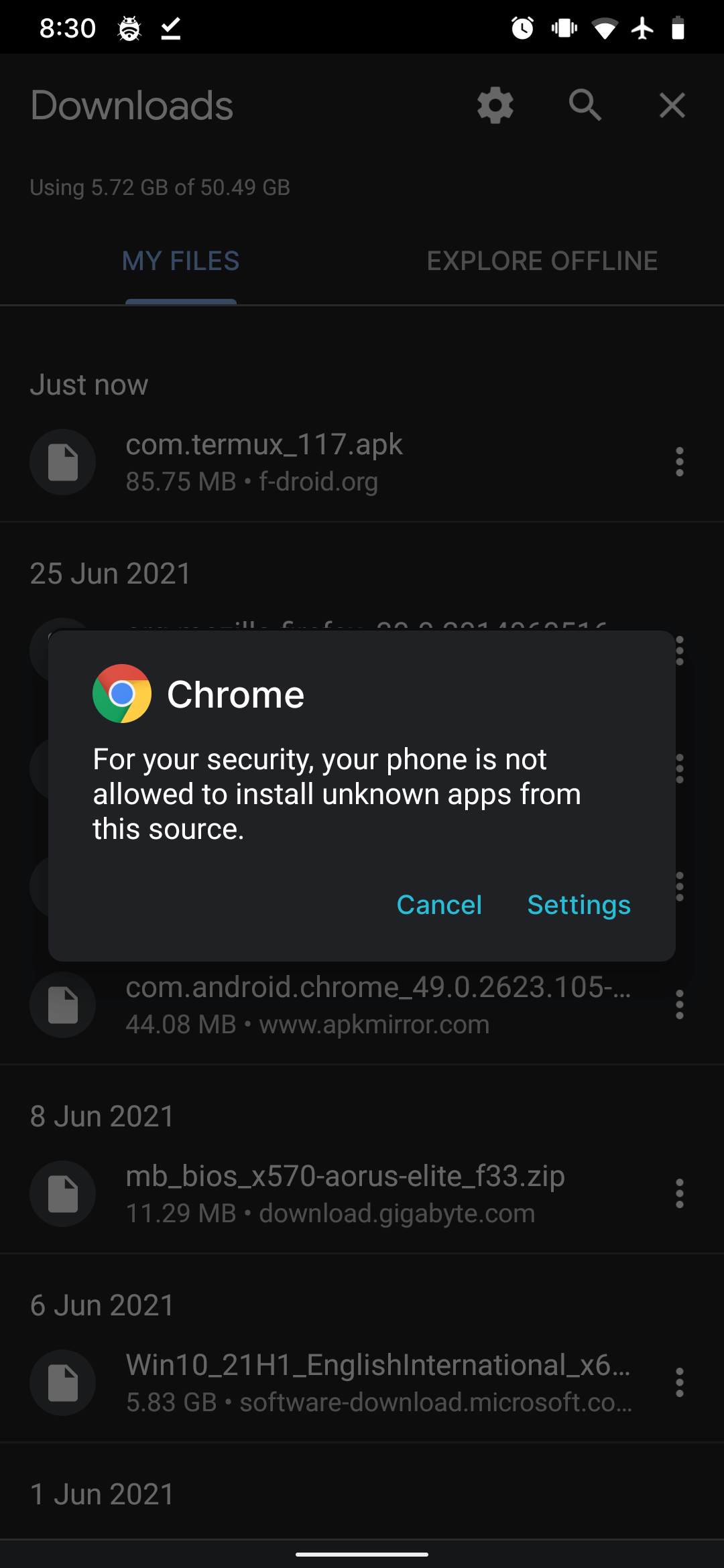
If you don't see this warning, skip to the next step. If you do, follow along.
Tap the Settings option in the popup and turn on the toggle as shown below.
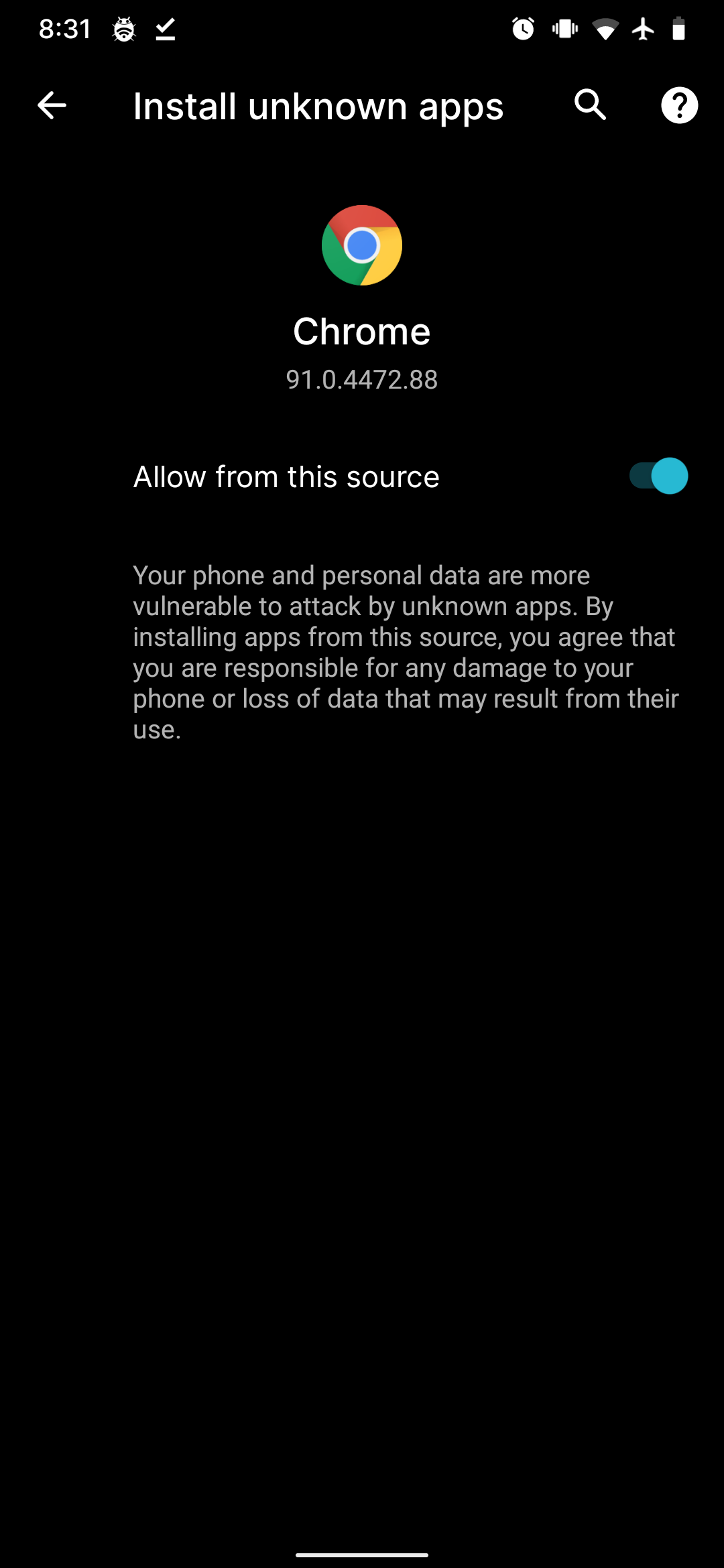
P.S. You might be using a different browser than Chrome, so your screen may look slightly different.
Go back a few times until you see the dialog shown below.
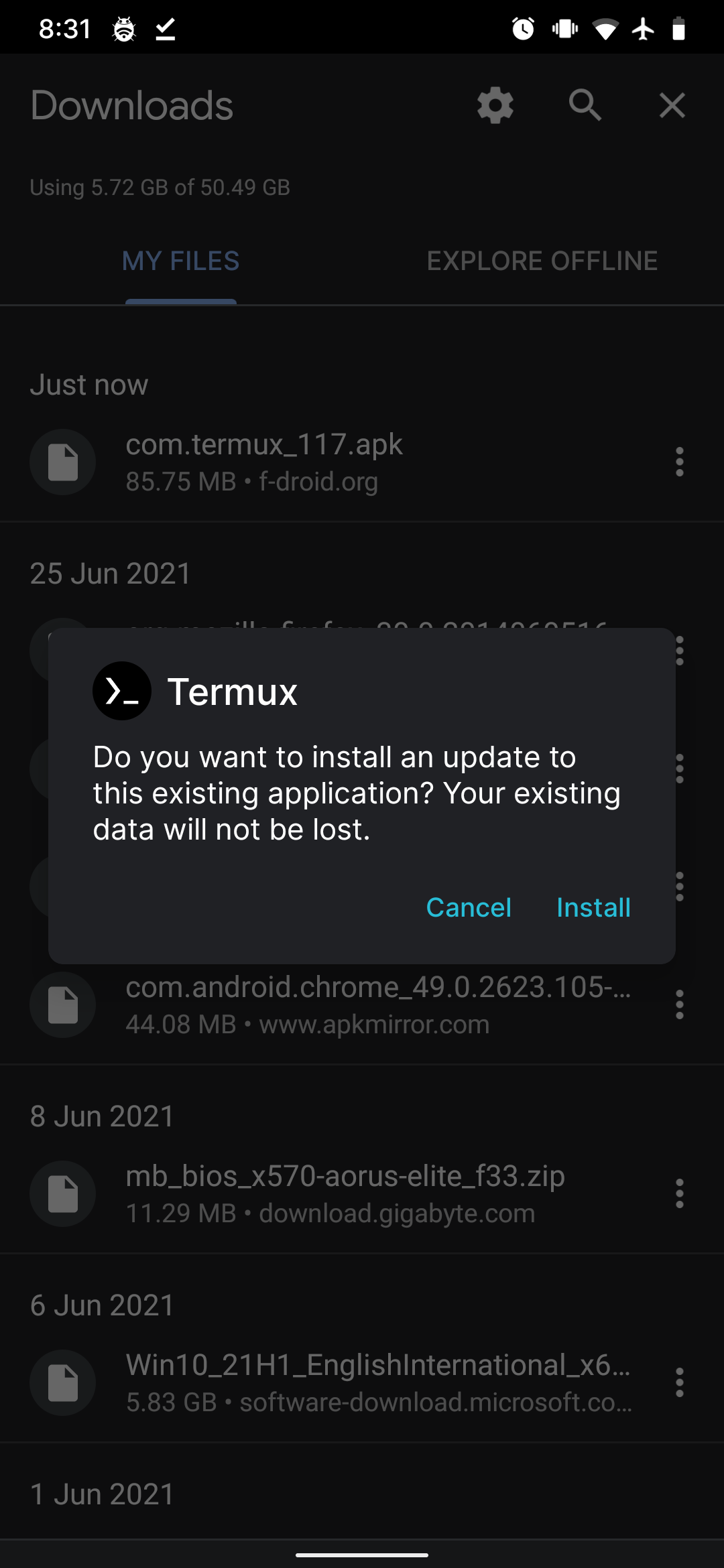
Click Install
Just tap Install, and that's it 🎉.
Update Mirror List
You're all done! If you still have trouble downloading packages, you can change the mirror list to your liking with the help of this guide here.
Next steps
- Termux Security: verify the APK you downloaded.
- "Cannot Link Executable" Error: fix
wget/curlerrors after reinstalling. - Installing a Distro: set up Linux again in your fresh Termux.