


Process Completed (Signal 9)
Seeing [Process completed (signal 9) - press Enter] in Termux, or Android stopped in the Andronix app? Turn off Android's child process limit: one setting in Developer options on Android 14 and newer, a few ADB commands on 12 and 13.
The symptom
In the app, the desktop or terminal closes and Android shows Android stopped Debian (with your distro's name). Its Why? button opens this page. Tap the notification to start it again.
In Termux, Termux suddenly shows:
[Process completed (signal 9) - press Enter]Either way, your distro, its desktop and any install that was running stop at that moment. It happens most often with a desktop open, because a desktop starts many processes.
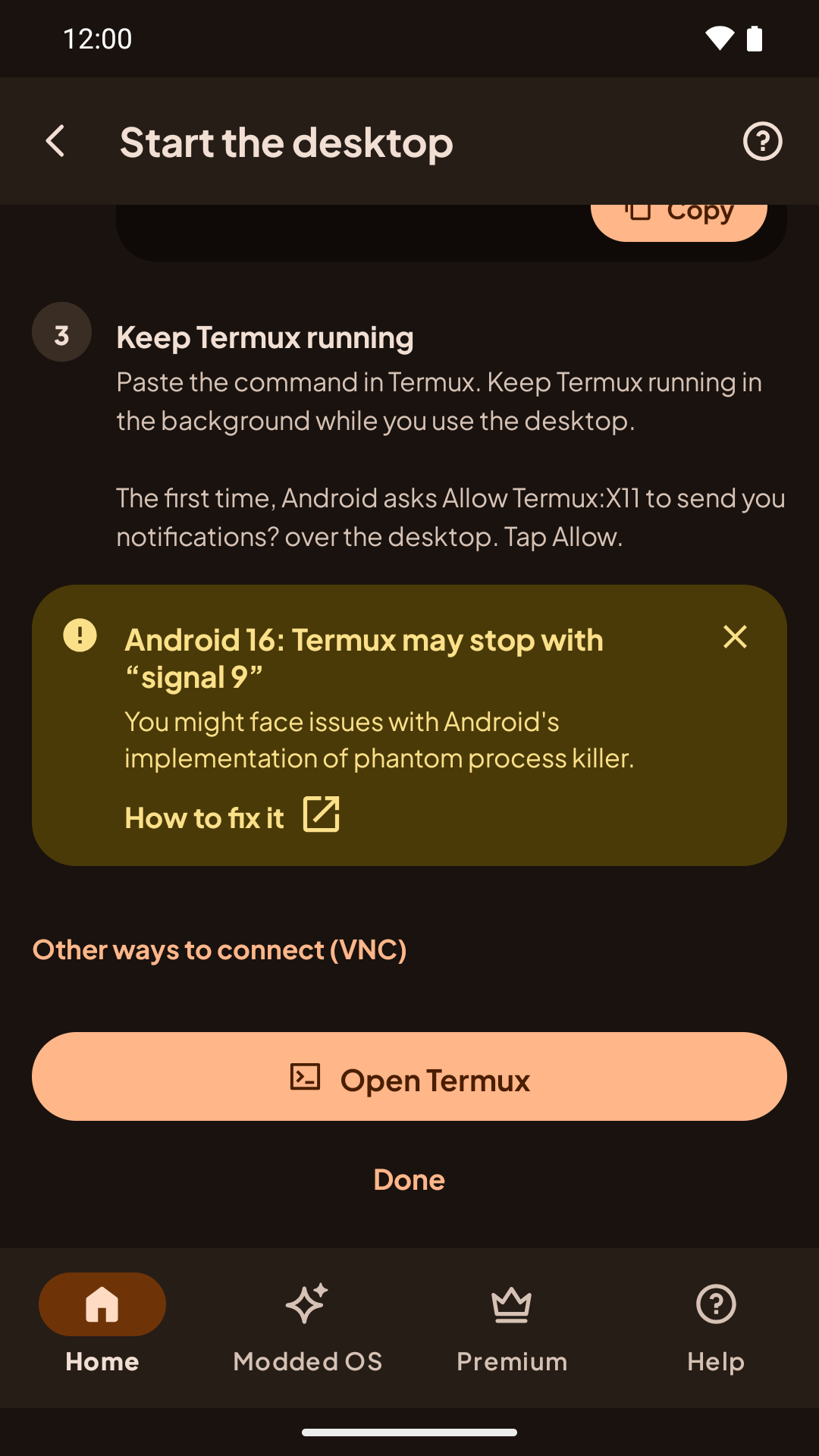
The Andronix app also warns about this on newer Android versions, on the Start the desktop step, with a How to fix it link to this page:
Why it happens
Android 12 added a phantom process killer. It stops the background processes an app starts once there are more than 32 of them, or when they use a lot of CPU. Andronix runs your whole distro as child processes of the app (or of Termux), so Android can kill it.
- Android 11 and older: not affected. You don't need this page.
- Android 12 and newer: turn it off with the steps for your version below. You only need to do it once, but see the notes for each version.
Android 14 and newer
No computer needed.
- Turn on Developer options: open Settings › About phone and tap Build number seven times.
- Open Settings › System › Developer options, and scroll to the Apps section.
- Turn on Disable child process restrictions ("Disable restrictions on the system resource usage of the app child processes").
The setting stays on after a reboot.
adb commands in the next section are what Termux documents as an alternative (we haven't tested them on Android 14 and newer).Android 12, 12L and 13
These versions have no switch in the usual settings. Termux documents these adb commands to turn the killer off (they come from Termux's and agnostic-apollo's documentation, linked below; we haven't tested them ourselves):
adb shell "/system/bin/device_config set_sync_disabled_for_tests persistent"
adb shell "/system/bin/device_config put activity_manager max_phantom_processes 2147483647"
adb shell "settings put global settings_enable_monitor_phantom_procs false"- The first command stops Google Play services from resetting the second one a few minutes after each reboot. It also stops other remote config updates, which Android can use to recover from bad settings; undo it (below) if you later have problems.
- The second command raises the process limit so Android never reaches it.
- The third command turns the killer off completely. It only works on Android 12L and 13; on Android 12, the second command is enough.
Where to run them:
- From a computer with
adbinstalled, with the phone connected over USB and USB debugging turned on in Developer options. - From the phone itself, with no computer: turn on Wireless debugging in Developer options, then connect to it from the phone. You can do this with Termux's own
adb(pkg install android-tools, thenadb pairandadb connectwith the code and port Wireless debugging shows), or with an app that does the same, such as LADB or Shizuku.
On some stock Android 12L and 13 phones, Developer options › Feature flags also has a settings_enable_monitor_phantom_procs switch. Turning it off does the same as the third command.
adb shell "/system/bin/device_config set_sync_disabled_for_tests none", adb shell "/system/bin/device_config delete activity_manager max_phantom_processes" and adb shell "settings delete global settings_enable_monitor_phantom_procs".After the fix
- If an install stopped, run the same install command again. It picks up at the step that stopped and keeps what it already downloaded. Only reinstalling starts over.
- Also turn off battery optimization for Andronix (or for Termux, if you use it) in your phone's settings.
More install and desktop problems: The install fails or stops and The desktop is black, slow or closes.
Still stopping after the fix? Report a problem from the Andronix app.