


FAQ
Answers to the most common Andronix questions, including the signal 9 error, install errors, Andronix 2.0, Kali, Manjaro, VNC and Firefox fixes.
This page collects the questions we get asked most often about Andronix, along with their fixes. If your problem isn't listed here, see Still need help? at the bottom.
1. How do I upgrade or uninstall my old Modded OS?
Installing the new version doesn't remove or update a Modded OS from the old Andronix app (8.x or earlier). Back up your files, uninstall the old version (for example andronix remove legacy-ubuntu-kde --legacy, or by hand), then install the new one from the app. Step by step: Upgrading from an older Modded OS.
2. Process completed (signal 9) - press Enter
We're sorry you're running into this. The error is caused by Android's phantom process killer. Read this page of the documentation to fix it. You can also follow the video guide (https://youtu.be/mjXSh3yq-I0) to fix it on your device.
3. Getting this error whenever I try to install any OS
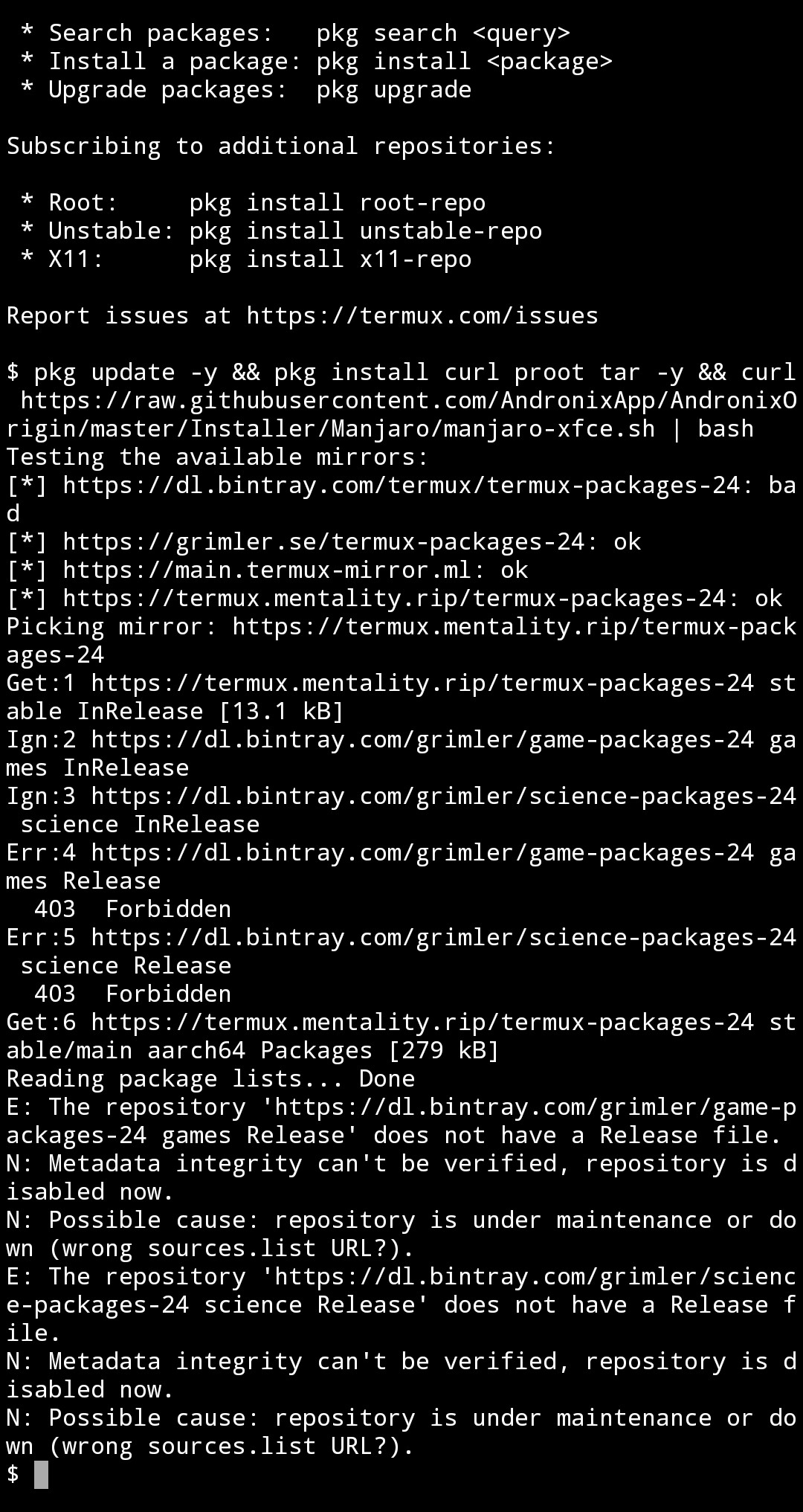
Ans. You probably have the old Play Store build of Termux from 2020, whose package servers are gone. Replace it with a current Termux; see Install Termux.
4. Kali Linux errors out during installation
Ans. Andronix 2.0 installs Kali Linux rolling again. Install it from the app as usual. If it still fails, see Linux in the app: limits and problems.
5. Modded Manjaro gives repository errors whenever I try to install or update any package
Ans. Follow this guide, and you'll be good to go.
6. AltGr not working on VNC
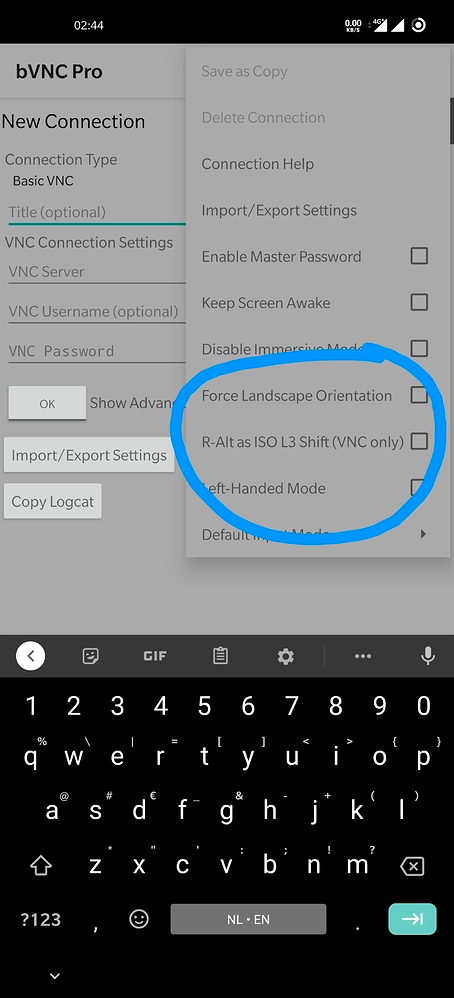
Ans. Use bVNC instead of RealVNC and select the highlighted option from the top menu. If that doesn't work either, try Android VNC.
7. VNC can't open – usage: vncserver -display- error
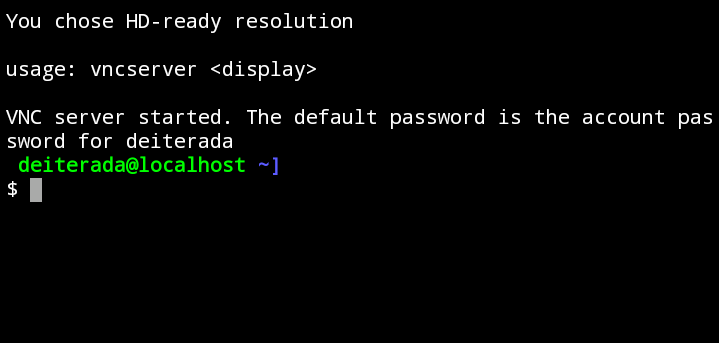
Ans. Most users run into this error while using Modded Manjaro. To fix it, run this inside the Manjaro shell:
sudo pacman -S wget tar sed --noconfirm && wget https://raw.githubusercontent.com/AndronixApp/AndronixOrigin/master/Pacman/tigervnc-fix.sh && sudo bash tigervnc-fix.sh8. Ubuntu 20.04: Firefox shows "Gah. Your tab just crashed"
This applies to Ubuntu 20.04 from the pre-2.0 installer. Here's an easy fix for this error:
- Enter about:config in the address bar.
- Click "Accept the risk and continue".
- Click "Show all".
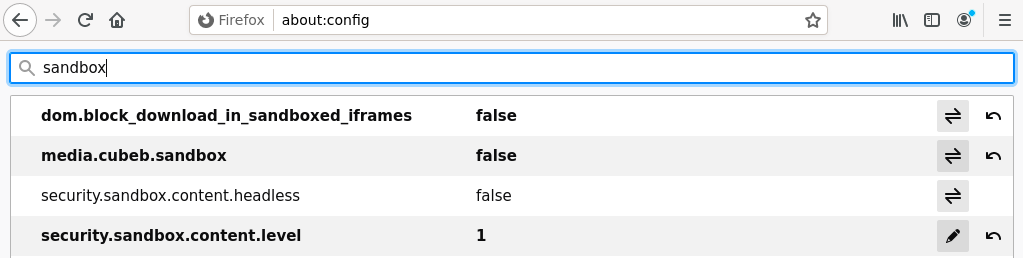
- Search for sandbox.
- Change the first two values to false, and change security.sandbox.content.level to 1, exactly as in this picture:
- Restart Firefox.
9. Why does my new distro ask for a username instead of logging in as root?
Ans. Distros from Andronix 2.0 create a normal user for you, like a regular Linux PC. Use sudo for commands that need root (on Manjaro, where sudo doesn't work yet, use a root shell instead). If you really need a root shell, run andronix start <distro> --root in Termux. See First login.
10. Where did the window managers go?
Ans. Window managers (Awesome, i3 and Openbox) have been retired from the free installer. Pick a desktop environment instead: XFCE, LXQt, MATE or KDE Plasma. Existing installs keep working. See Window Managers.
11. Can I still use my old distro?
Ans. Yes. Distros installed with the pre-2.0 installer are left untouched and start with the same command as before. See Installs from before Andronix 2.0.
12. How much does Modded OS cost, and do I pay again for my old Modded OS?
The Modded Pass is $4.49$4.49 $3.14. During the Halloween sale, until November 1, 2026, 23:59 UTC, the Modded Pass and Andronix Complete ($4.19, usually $5.99) are 30% off, on regional prices too; the usual prices are the lowest of the 30 days before the sale. Premium owners get 30% off the Modded Pass, and owners of a Modded 2.0 edition 40% off. Prices vary by region, and discounts are applied to your local price; Google Play shows your final price before you buy. See Prices. If you bought a Modded OS before Andronix 2.0, those Classic editions stay yours for free under Archived — yours to keep in the app. They don't lower the price of Modded 2.0.
Still need help?
- Read Linux in the app: limits and problems.
- Read about what Andronix can't do.
- Report a problem from the Andronix app. It attaches your phone's details and gives you a report ID.
- Ask on our Discord or open an issue on our GitHub repository.
Process Completed (Signal 9)
Seeing [Process completed (signal 9) - press Enter] in Termux, or Android stopped in the Andronix app? Turn off Android's child process limit: one setting in Developer options on Android 14 and newer, a few ADB commands on 12 and 13.
Report a Problem
Send us a problem report from the Andronix app, with your phone's details attached, and get a report ID to quote when you talk to us.