


Report a Problem
Send us a problem report from the Andronix app, with your phone's details attached, and get a report ID to quote when you talk to us.
If something doesn't work and the troubleshooting pages don't fix it, send us a report. It reaches us with the details we need to help, so you don't have to type them out, and you get a report ID like AX-7K3Q9M to quote in any later message.
From the app
In the Andronix app, open the Help tab and tap Report a problem. It also opens, with the problem filled in, from:
- Report a problem on the screen of an install that failed, or Send report in its notification;
- Report a problem on the safe-mode and GPU sheets, after a black desktop (see Black screen and safe mode).
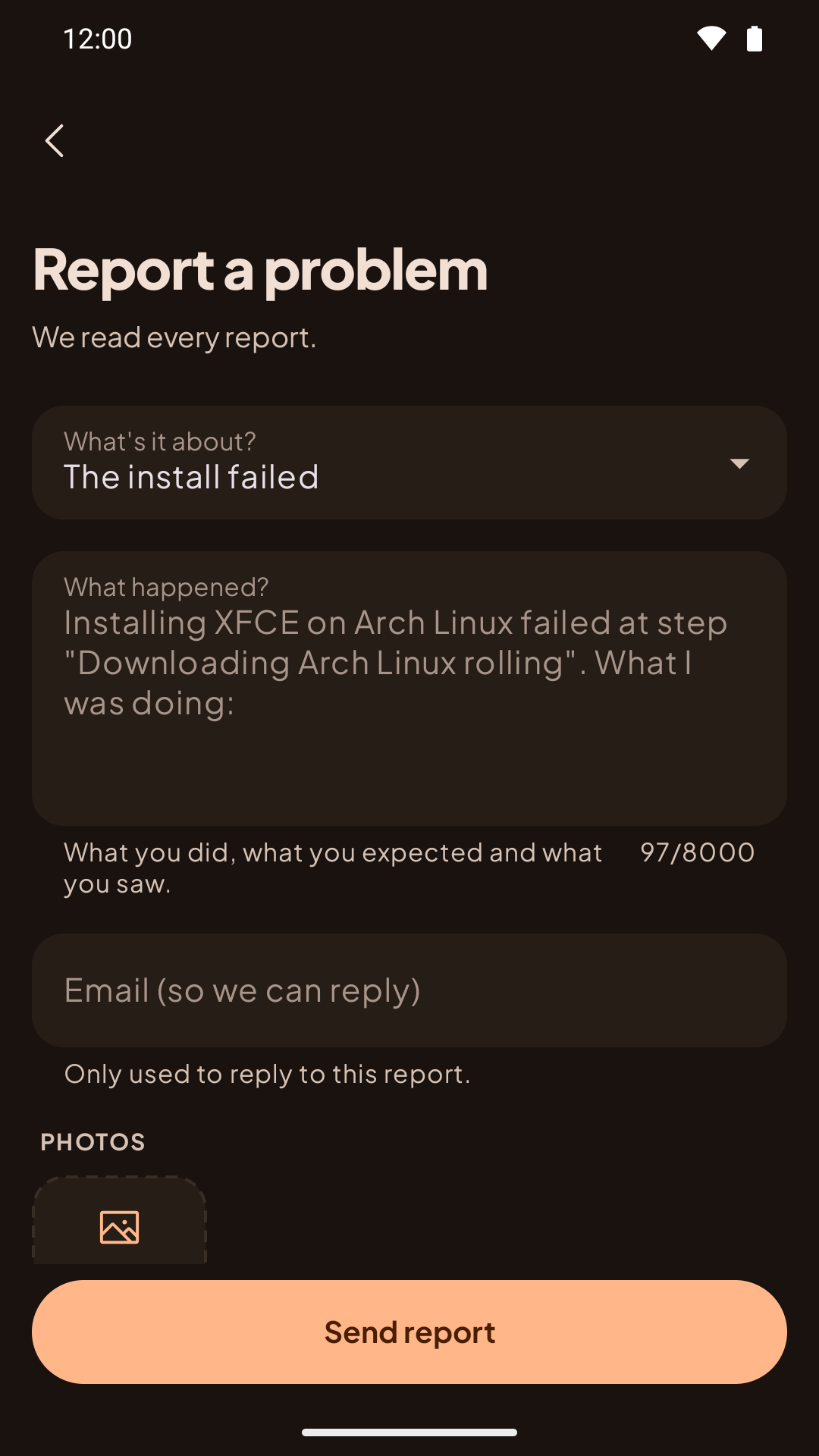
Pick what it's about
For example The install failed, Desktop, Termux:X11 or sound, Termux stops (signal 9), Modded OS access or download, Refund or purchase, Something in the app or An idea.
Tell us what happened
Describe what you did and what went wrong, up to 8,000 characters. You can also add:
- An email for a reply. Optional. Without it, we can't reply to you directly.
- The output of
andronix doctor, pasted from Termux. Optional, and very helpful for install and desktop problems (installer 2.0.1 or newer; see andronix doctor). - Up to 3 photos, such as screenshots of the problem. Location and camera details are removed before sending.
- An earlier report ID, if this is about a problem you already reported.
Check what's attached, and send
The form shows the details it attaches: the app version, your Android version and phone, the Linux kernel, and your Termux and Termux:X11 versions. It also includes the result of your last install from the app (the distro, desktop, and the step it stopped at). We send only what's shown on the form.
For a distro in the app, Attach my last install is on: it adds the distro, the step the install stopped at and when, with the error and the installer's log, personal details removed. If Android stopped a desktop, that's attached too, with its log.
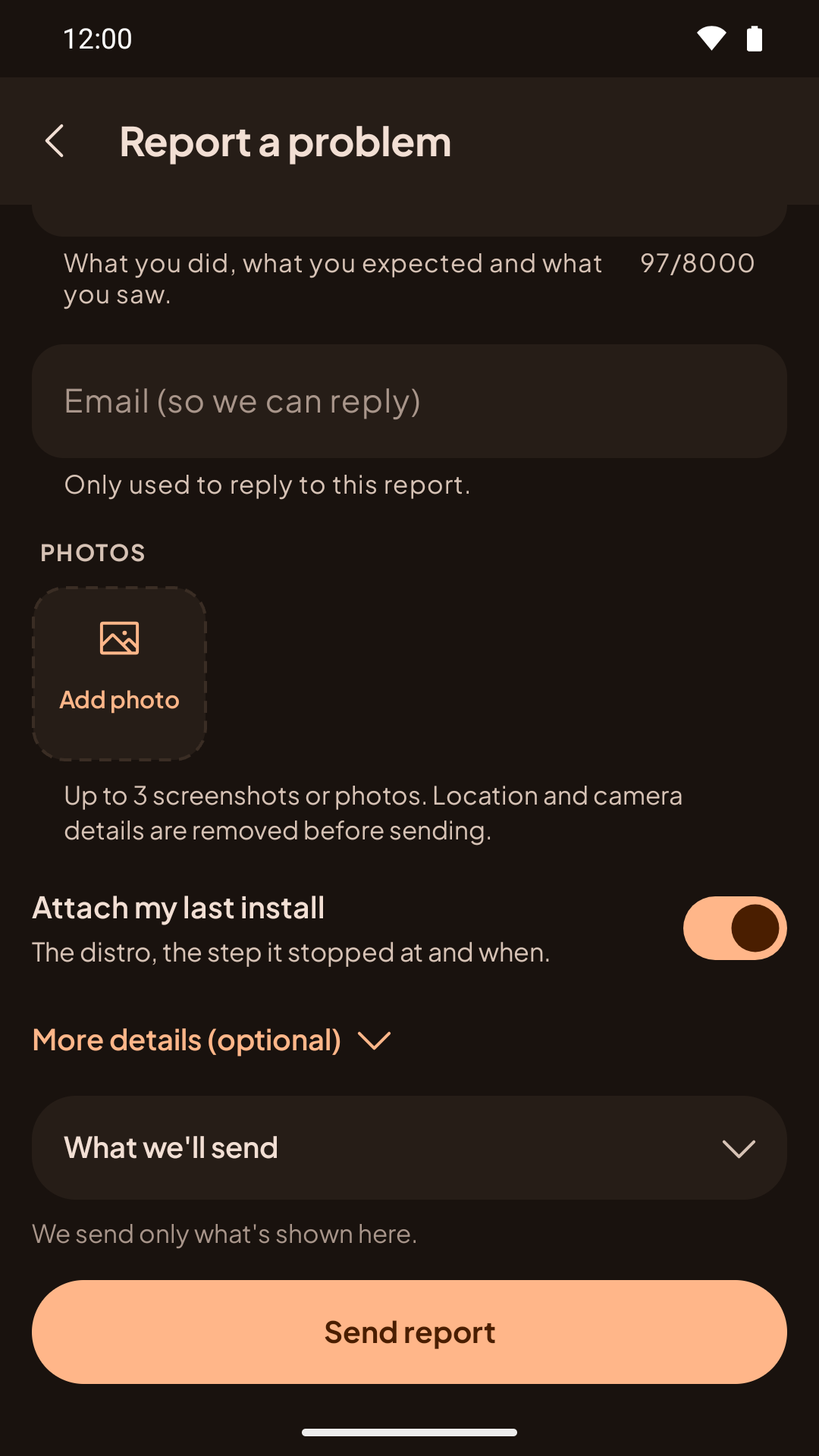
Tap Send report. The app shows your report ID; tap Copy ID to keep it.
You don't need to be signed in. If you are, the report is linked to your account, which helps with purchase and Modded OS questions.
Automatic problem reports
For Linux in the app, Andronix can also send a report by itself when something fails: an install, update or removal that fails, a desktop that doesn't start or stops by itself, Android stopping a desktop, or the app crashing while it runs Linux.
The first time something fails, the app asks Send problem reports automatically? and shows what it would send (open What we'll send to see the list). When you're signed in, Linked to your account links the report to your account; switch it off if you don't want that.
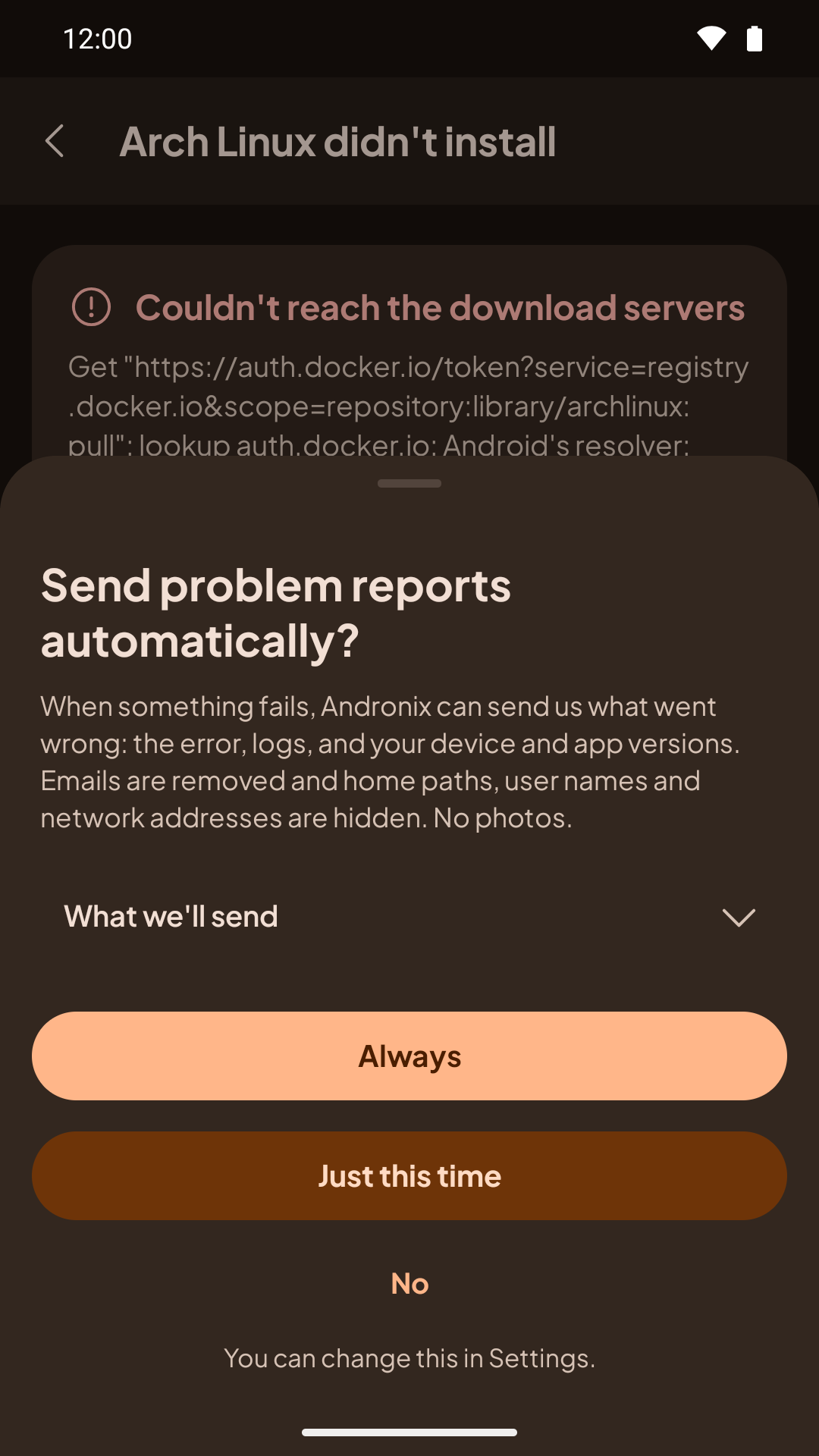
- Always: send reports like this automatically from now on.
- Just this time: send this one. The app asks again next time.
- No: don't send.
You can change it any time in Settings › Send problem reports automatically. A report never includes photos or an email address you type, and the same problem is sent at most once a day.
After a report is sent, a notification says Report sent with its ID. If we already know the problem, it says so; tap it to see the fix. Offline, it says Report saved and sends when you're back online. What a report contains and how long we keep it: see the Privacy Policy.
From Termux: andronix report
installer 2.0.2+If a command fails in Termux, report it from there. The installer's error box ends with a reminder:
Still stuck? run andronix report (it shows everything it sends first)Run it right after the failure, before other commands, so the report describes the command that failed:
andronix reportWhat it collects
- What failed: the command, the distro or Modded edition, the step it stopped at, and the error message. The installer records these whenever a command fails.
- Your phone: the same facts as
andronix doctor: Android version, ROM, kernel, CPU type, RAM, free space, whether the phantom process killer is on, your Termux source and version, and the compatibility fixes Andronix applies on this phone. - The log: the last 400 lines of the failing command's log (or, if nothing failed, the newest install, update or remove log).
- The installer version, and the install ID from the app's command, if you used one.
Before anything leaves your phone, the installer removes download tokens, signed download links, email addresses, passwords, your distro user names, your Android user ID and your home folder path.
Check it, then send it
andronix report prints the whole report, exactly as it will be sent, and asks Send it to Andronix? Nothing is sent unless you answer yes.
When you say yes, it uploads the report as a draft and opens the Andronix app on it. Report a problem opens already filled in, with the installer's details attached:
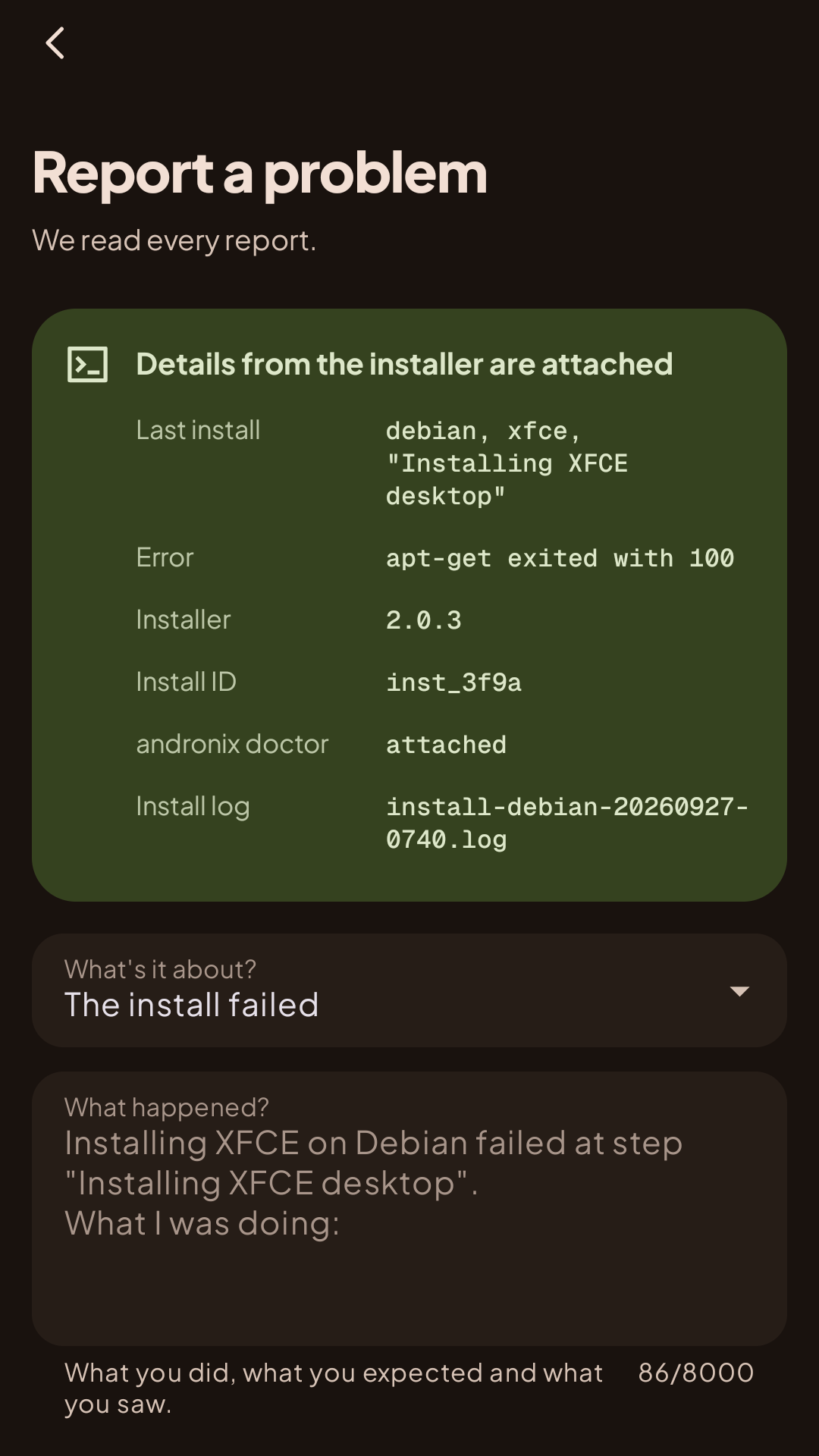
Add what you were doing and any screenshots, then tap Send report. The app shows your report ID:
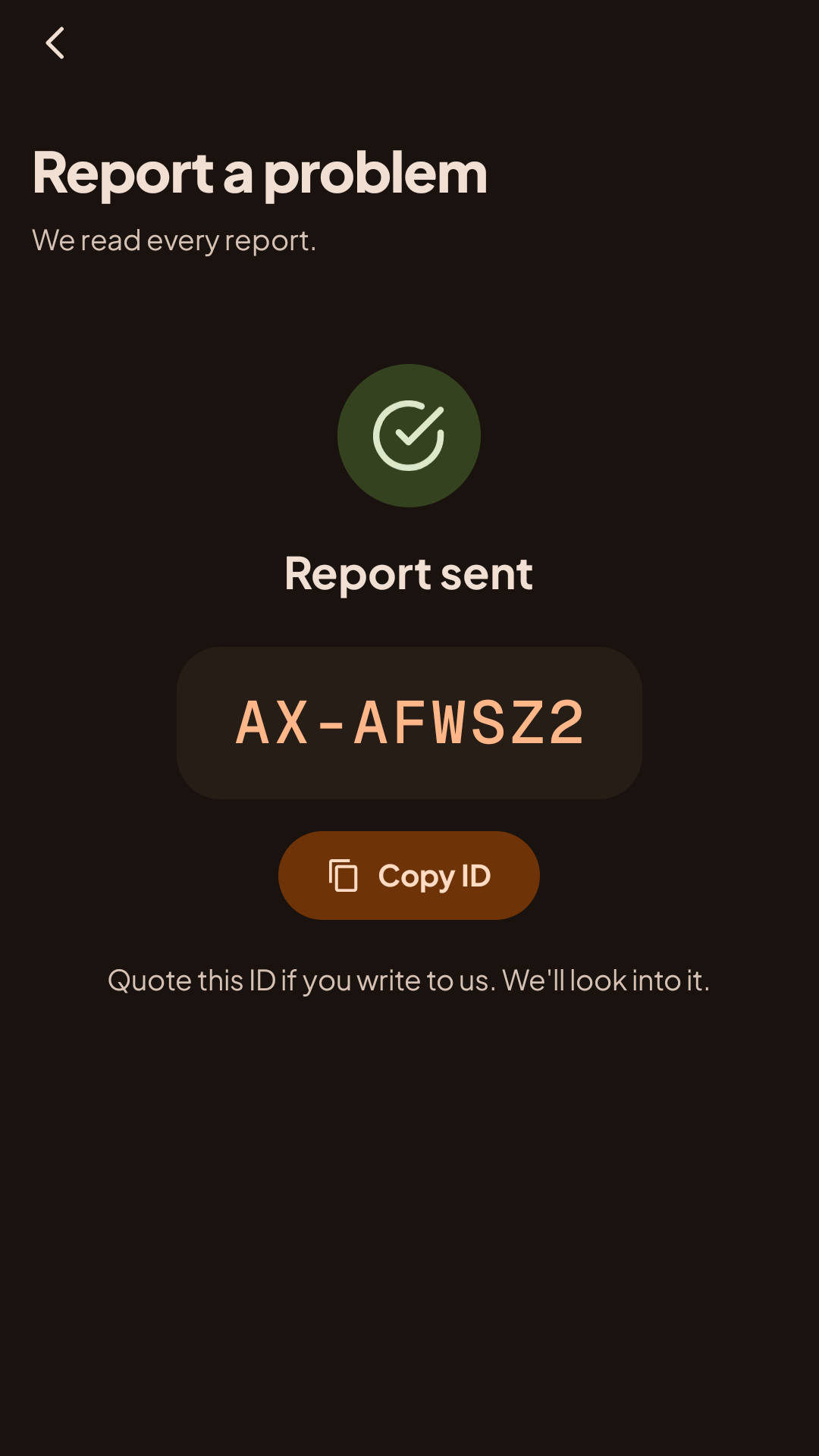
The draft waits in the app for 24 hours. After that, run andronix report again.
Without the app
If the Andronix app isn't installed, or Android doesn't open it, andronix report prints the report ID and a link you can open in the app later. It then offers to send the report now, without the app: answer yes and type one line about what happened. It prints Report sent: AX-….
To give that line up front, use --message (up to 300 characters):
andronix report --message "the desktop stays black after install"Inside a distro
You can also run andronix report in the distro's terminal, for example in the desktop's terminal when an app misbehaves. It adds the distro, the desktop and the desktop session's log instead of the Termux facts.
A distro can't open Android apps, so it prints the report ID instead. Open it from Termux:
andronix report --open AX-XXXXXXReplace AX-XXXXXX with the ID it printed. --open works for 24 hours, and also for drafts made in Termux.
See it without sending
andronix report --dry-runPrints the report, already redacted, and sends nothing.
andronix report --dry-runinstaller 2.0.2What happens next
- If you left an email, we reply there.
- Writing to us at support@andronix.app or on Discord? Put your report ID (for example
AX-7K3Q9M) in the message, so we can find the details.
Your data
- A report holds what you typed, any photos you added, the details shown before you send, and your email if you gave one.
andronix reportremoves tokens, signed download links, email addresses, passwords, user names and your home folder path on your phone, before sending. The server removes them again from logs and pastedandronix doctoroutput.- We delete a report 90 days after it's closed, and when you delete your account.
- See the Privacy Policy.
FAQ
Answers to the most common Andronix questions, including the signal 9 error, install errors, Andronix 2.0, Kali, Manjaro, VNC and Firefox fixes.
The andronix Command
Reference for the andronix command in Termux - install, start, desktop, update, backup, restore, tune, dev packs, doctor, report, remove - and the commands inside a distro.