


Settings for Linux in the App
The Linux section of the Andronix app's Settings - Run Linux, Android files in Linux, GPU acceleration and automatic problem reports - and the other settings that matter for Linux in the app.
Open Settings in the Andronix app. The Linux section shows when your device can run Linux in the app, or when you already use it.
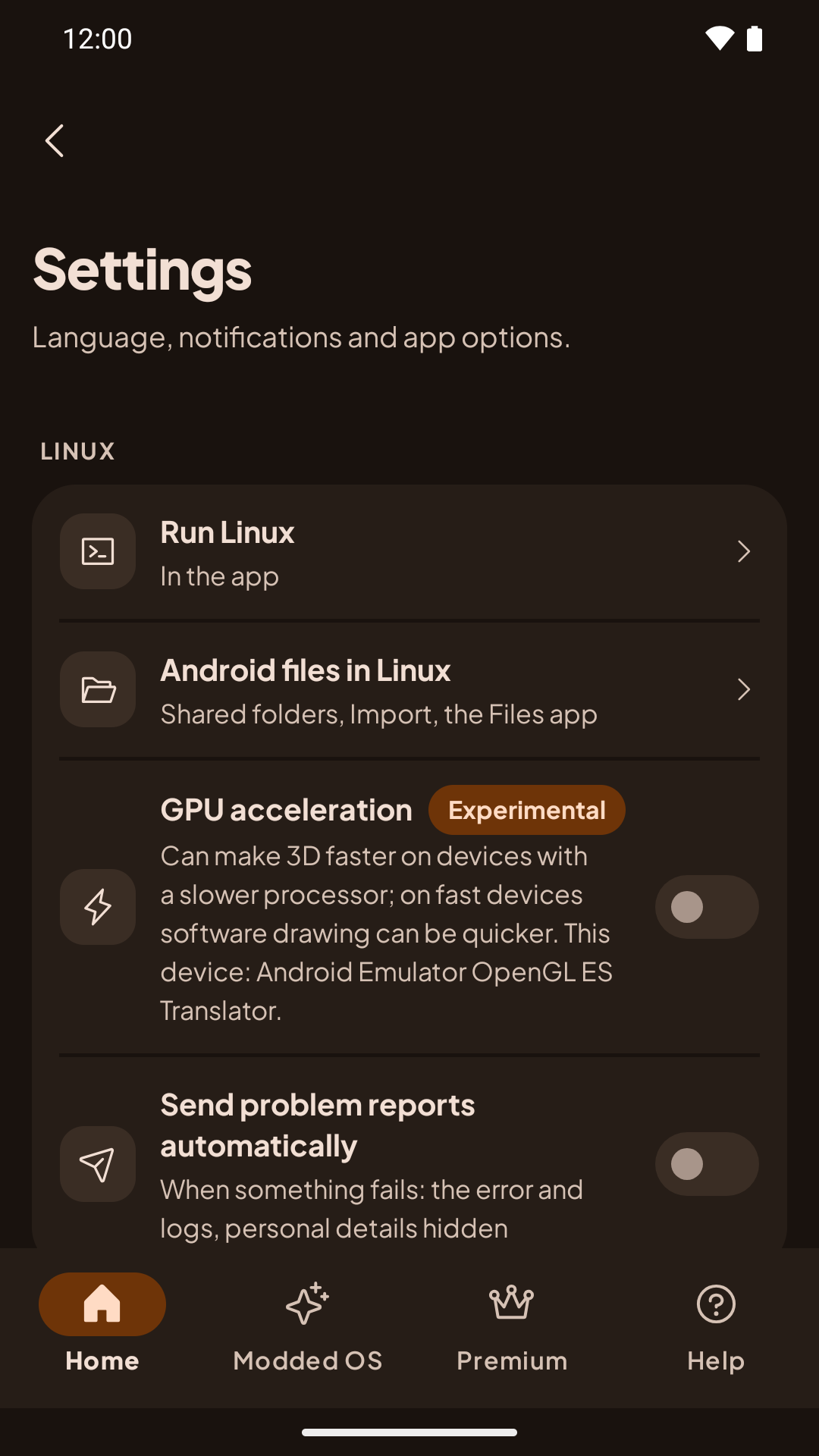
Linux
| Setting | What it does |
|---|---|
| Run Linux | In the app or In Termux: where new installs go. Distros you already installed stay where they are. See Coming from Termux. |
| Android files in Linux | Shared folders, Import, and your Linux home in the Files app. See Android files in Linux. |
| GPU acceleration (Experimental) | Off by default. Draws OpenGL programs with your device's graphics chip. Turning it on asks first, and it applies from the next desktop start. If a desktop stays black with it on, Andronix turns it off by itself. See GPU acceleration. |
| Send problem reports automatically | When something fails, the app sends us the error and logs, with personal details hidden. Off until you choose Always. See Automatic problem reports. |
Other settings
| Setting | What it does |
|---|---|
| Tools › Saved commands | Your old Andronix Commands. See Your saved Andronix Commands. |
| Notifications & privacy › Share usage analytics | On by default. Turning it off also turns off the installer's usage data for Linux in the app. See the Privacy Policy. |
| About › Linux in the app | The open-source programs that run Linux in the app (PRoot, talloc, libandroid-shmem), their licenses, and links to their source code and our build scripts. See Open-source components of the app. |
Settings for one distro, like its desktop size and safe mode, are in its ⋮ menu on Home. See Your Linux on Home.
The andronix Command
Reference for the andronix command in Termux - install, start, desktop, update, backup, restore, tune, dev packs, doctor, report, remove - and the commands inside a distro.
Supported Distros
Every free Linux distro Andronix installs, with its version, supported CPUs, desktops, and the commands to install, start and remove it.