


Tablets and Foldables
Andronix on big screens - the navigation rail, two-pane Home, desktop size, tabletop mode and folding with the desktop open.
On a tablet or an unfolded foldable, the app uses the extra room, and the Linux desktop follows the screen as you fold, unfold and rotate. These were tested on Pixel Tablet and Pixel Fold emulators.
The app on a big screen
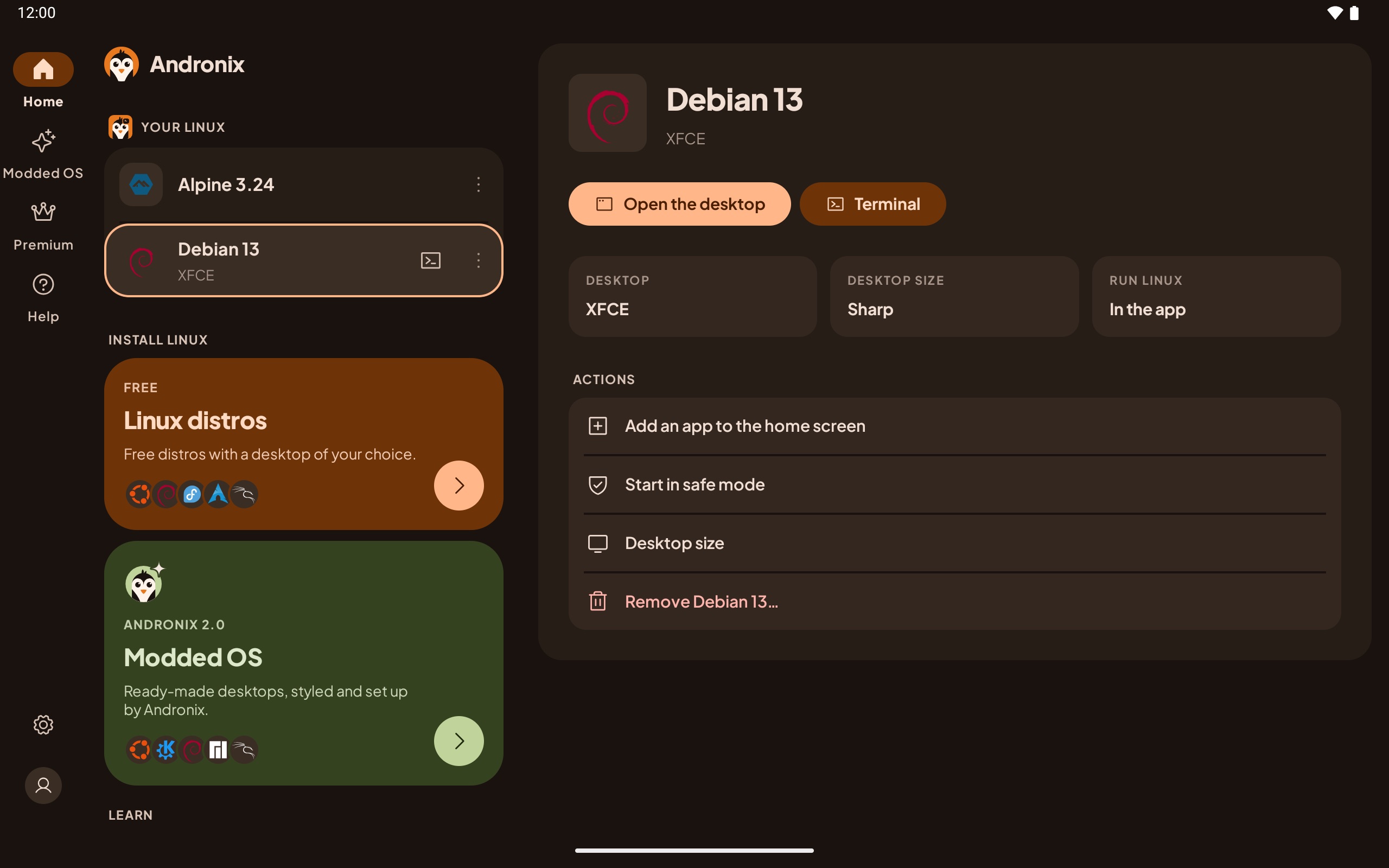
- Navigation rail: on screens 600 dp and wider (tablets, unfolded foldables), the bottom bar becomes a rail on the left, with Settings and your profile at its foot.
- Two-pane Home: on screens 840 dp and wider, Home shows your list on the left and the selected distro's details on the right: Open the desktop, Terminal, Stop, its desktop, desktop size and where it runs, and its actions (add an app to the home screen, safe mode, desktop size, remove). Tap a row to select it.
Desktop size
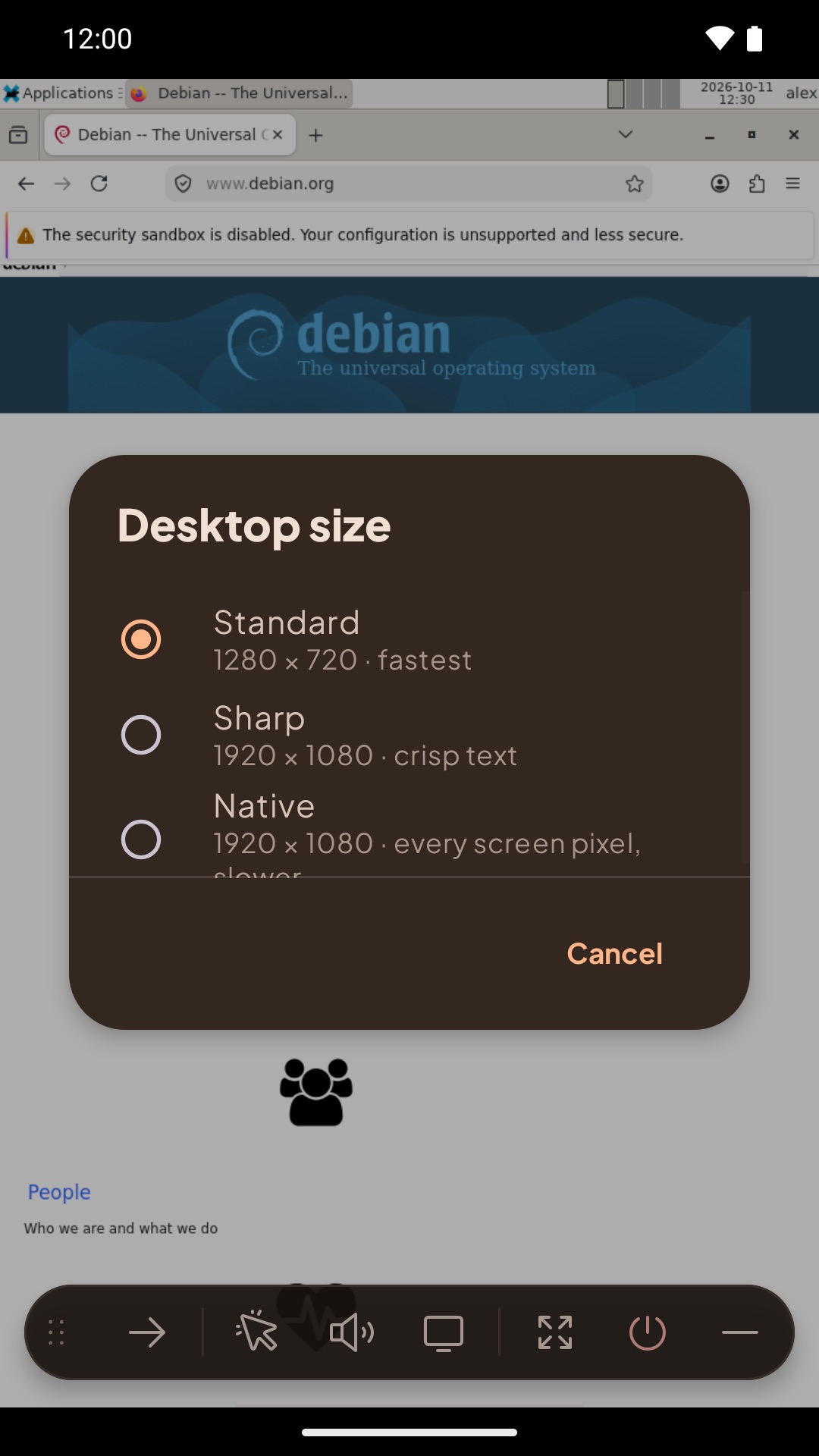
Each distro has a desktop size:
| Size | Lines | Good for |
|---|---|---|
| Standard | 720 | The fastest. The default on phones. |
| Sharp | 1080 | Crisp text. The default on tablets and unfolded foldables. |
| Native | Every screen pixel | The sharpest, and the slowest. |
Change it from the toolbar's Desktop size button, from ⋮ › Desktop size on Home, or in the details pane. The running desktop changes at once; text size catches up the next time the desktop starts. On a phone, a size bigger than the current one applies at the next start.
Folding and rotating
The desktop resizes itself when you fold, unfold or rotate, and fills the screen it's on, including a foldable's cover screen. Your apps keep running.
Tabletop mode
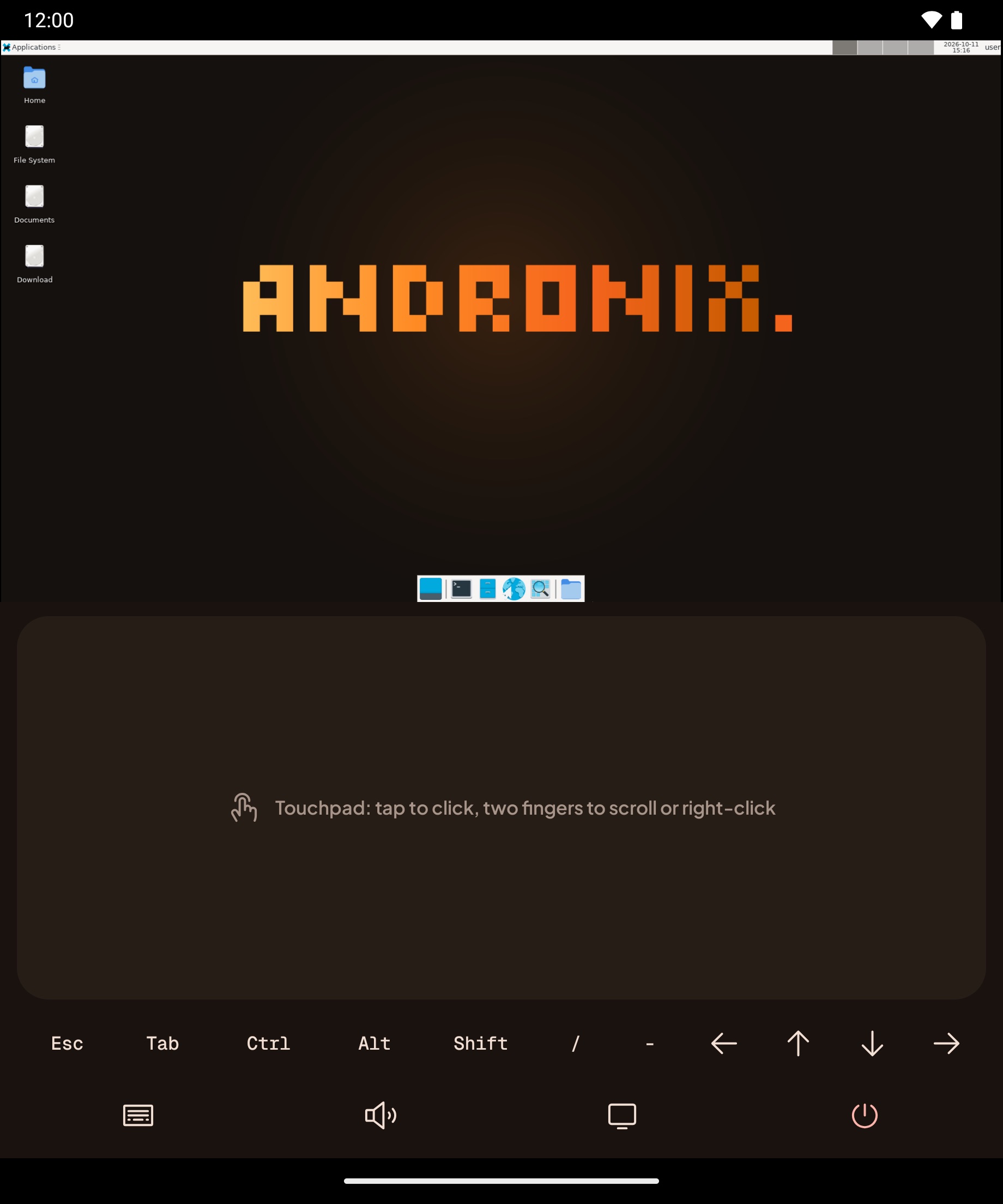
Half open a foldable with the hinge across the screen and set it down, like a small laptop. The desktop moves to the top half. The bottom half becomes the controls: a touchpad (tap to click, two fingers to scroll or right-click, double-tap and hold to drag), the extra keys, and Keyboard, Mute, Fit, Desktop size and Stop. Open it flat again to go back to the normal view; the session keeps running.
Keyboard and mouse
Tablets work well with a keyboard and mouse. See A hardware keyboard and A mouse.
The Desktop in the App: Toolbar, Keyboard and Mouse
How to type, click and move around the Linux desktop in the Andronix app, with touch, a hardware keyboard or a mouse.
Your Linux on Home
Start, open and stop the distros you installed in the app, the ⋮ menu (shortcuts, safe mode, desktop size, add a desktop, remove), the Linux is running notification, and what happens when Android stops Linux.