


Desktop Environments
Learn what a desktop environment is, which ones Andronix offers for each distro, and which one to pick if you're just getting started.
This page explains what a desktop environment (DE) is, lists the DEs Andronix offers for each distro, and helps you choose one.
According to the Wikipedia article on desktop environments:
In computing, a desktop environment (DE) is an implementation of the desktop metaphor made of a bundle of programs running on top of a computer operating system that share a common graphical user interface (GUI), sometimes described as a graphical shell. The desktop environment was seen mostly on personal computers until the rise of mobile computing. Desktop GUIs help the user to easily access and edit files, while they usually do not provide access to all of the features found in the underlying operating system. Instead, the traditional command-line interface (CLI) is still used when full control over the operating system is required.
In simpler terms, a desktop environment is the graphical user interface (GUI) you interact with. Icons, menus, menu bars and everything else you see on screen are part of the DE.
What Desktop Environments does Andronix offer?
Andronix offers XFCE, LXQt and MATE on every free distro, and KDE Plasma on Debian, Ubuntu 26.04 and Kali. You can also skip the desktop and use the command line only.
| Desktop | What it's like | Pick it if |
|---|---|---|
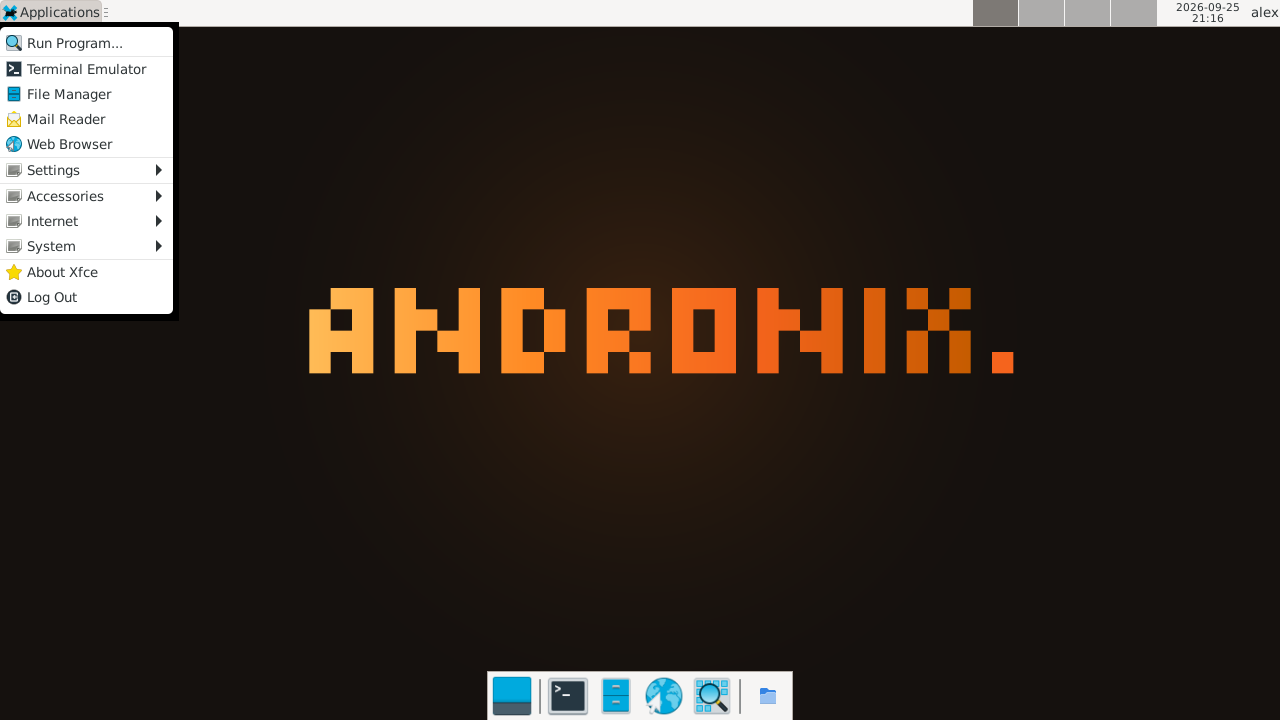
| XFCE | A full, familiar desktop with a panel, an app menu and a file manager (Thunar). Our recommendation. | You want something that just works. |
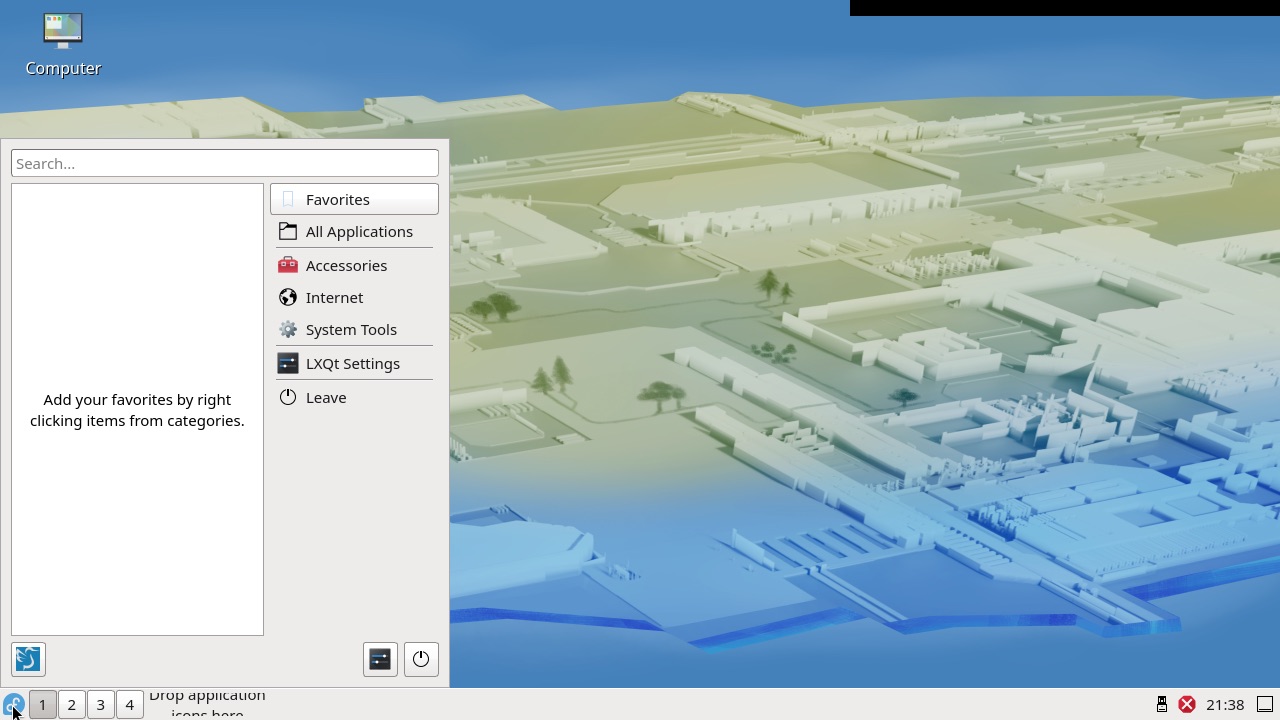
| LXQt | A light desktop built on Qt, with a Windows-like menu and panel. | You want a lighter desktop, or prefer Qt apps. |
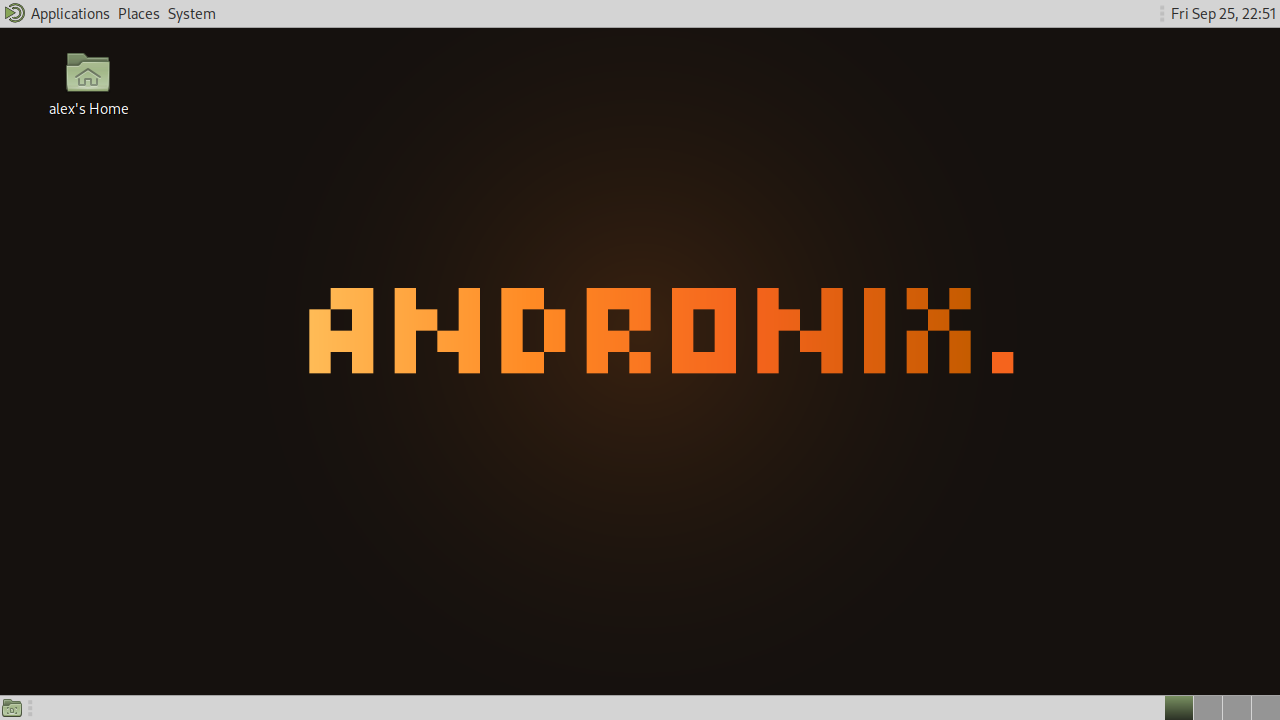
| MATE | A classic, traditional desktop with menus at the top. | You like the classic GNOME 2 layout. |
| KDE Plasma | A modern, polished desktop (Plasma 6) with Dolphin and Konsole. The heaviest of the four. | Your phone has 4 GB of RAM or more, and you want the most complete desktop. |
| CLI only | No desktop, just a terminal. The smallest and fastest install. | You only need the command line. |
Every desktop install also comes with a web browser. The desktop opens in the app, full screen; see The desktop in the app.
XFCE
LXQt
MATE
KDE Plasma
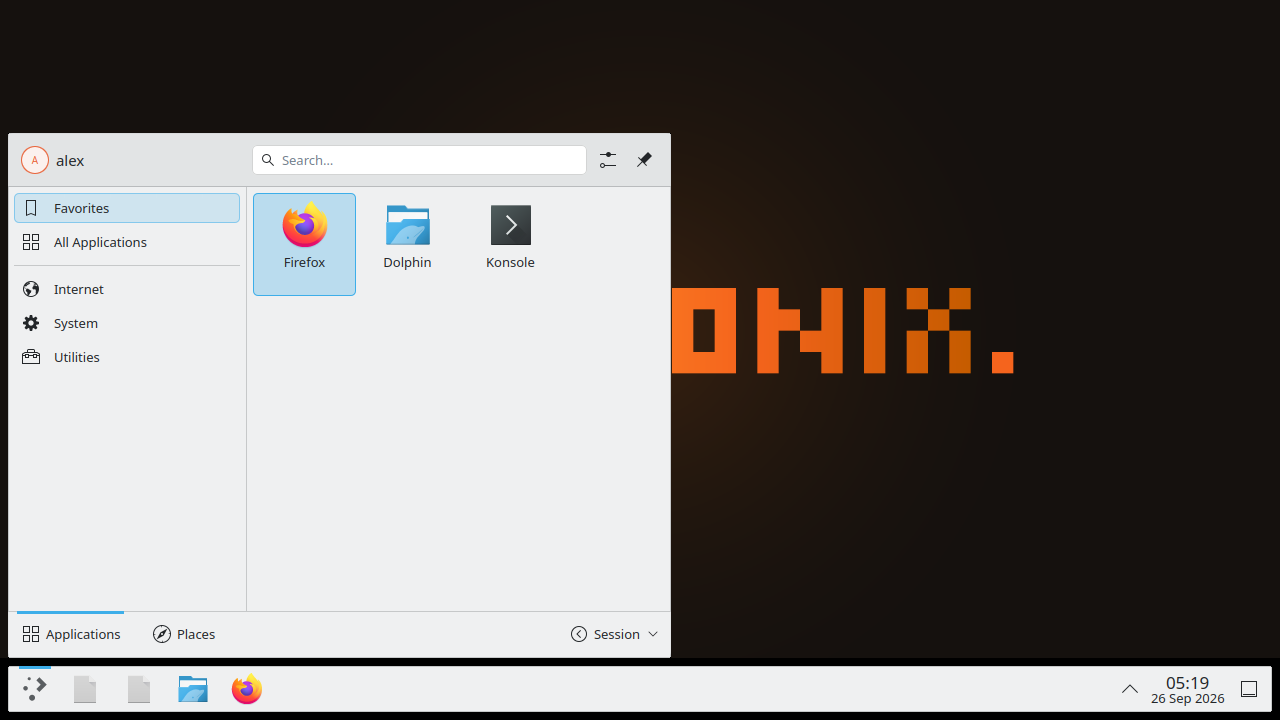
KDE Plasma is set up for VNC: desktop effects, file indexing, the screen lock and KDE Wallet are turned off, because they don't work well (or at all) in Andronix. The installer warns you if your phone has less than 4 GB of RAM.
Availability
| Desktop | Distros |
|---|---|
| XFCE, LXQt, MATE, command line only | Every free distro: Debian, Ubuntu, Kali Linux, Fedora, Arch Linux, Manjaro ARM, Alpine and Void Linux |
| KDE Plasma | Debian 13, Ubuntu 26.04 LTS and Kali Linux |
See Supported Distros.
Which DE should I choose?
You can pick whichever DE you like or are most familiar with. For most people, though, we recommend XFCE as a starting point because of its ease of use and customizability. On a phone with less than 4 GB of RAM, avoid KDE Plasma; XFCE or LXQt will feel much faster.
Making a desktop lighter
See Make it faster for the light profile (andronix tune), which turns off effects and background apps.
Changing your desktop
In the app, a distro installed with Command line only can get a desktop later: tap ⋮ next to it on Home, then Add a desktop. To switch desktops, remove the distro and install it again with the other one. In Termux:
andronix install debian --de lxqt --reinstall--reinstall deletes the distro and everything in it first. Copy anything you want to keep to /sdcard beforehand.Next steps
- Install a distro with the desktop of your choice.