


Requirements
What your phone needs to run Linux in the Andronix app - Android version, CPU, free storage and RAM - and what to expect on older phones.
Andronix runs Linux in the app on most Android phones and tablets from the last several years. Check these before you install.
Linux in the app
- A 64-bit ARM processor (arm64). Almost every phone from the last few years has one. The app checks your device's main processor type, so x86 phones and x86 Chromebooks use Termux, even if they can run ARM apps.
- Android 8.0 or newer. The app installs from Android 7, but on Android 7 Linux runs in Termux only.
- Free space for the distro. The installer works out how much the distro and its desktop need and tells you before it starts. As a guide: about 1.3 GB for Alpine, 1.6 GB for Debian with XFCE, 1.8 GB for Ubuntu, and 3 GB for Arch or Manjaro.
- Memory: there's no minimum, but KDE Plasma needs about 4 GB of RAM. On a device with less, the app warns you and suggests XFCE, which is lighter.
The phone doesn't need to be rooted, and there's nothing else to install.
How the app checks
The first time, the app runs a short self-check (about a tenth of a second) to make sure Linux can run inside it on your device. It runs again after each app update.
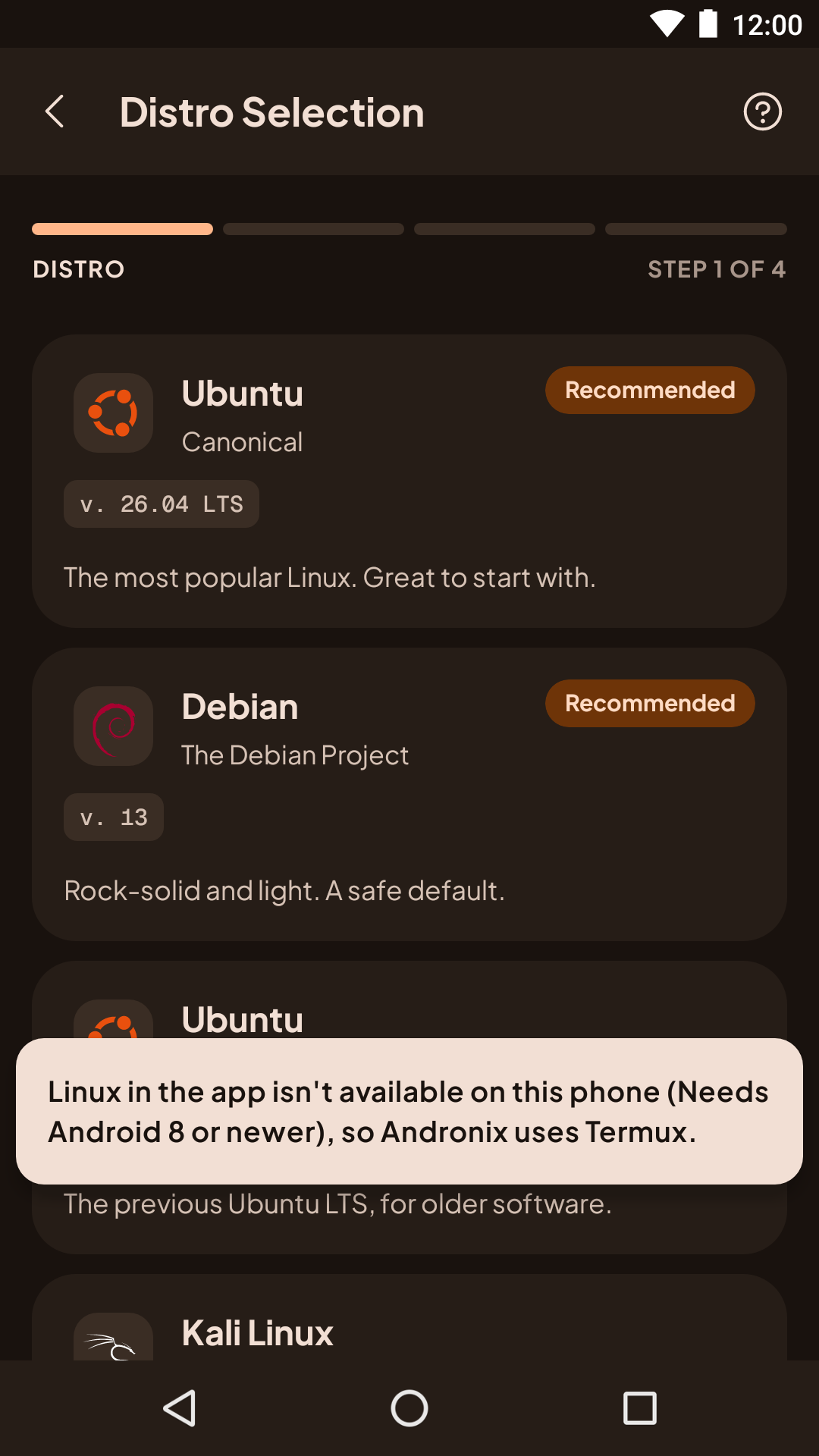
If your device can't run Linux in the app, the app says so when you pick a distro, and installs it in Termux instead. For example: Linux in the app isn't available on this phone (Needs Android 8 or newer), so Andronix uses Termux. The reason in brackets is one of these:
| The app says | What it means |
|---|---|
| Needs a device with a 64-bit ARM processor. | Your device's main processor isn't arm64. Use Termux. |
| Needs Android 8 or newer. | Your device runs Android 7. Use Termux. |
| Linux can't run in the app on this device. | The self-check failed. Use Termux, and please report it. |
| Not available right now; new installs use Termux. | We've switched standalone mode off for new installs while we fix a problem. Distros you already installed in the app still open. |
| Paused while we fix a problem. | We've paused standalone mode. Your distros and files stay on your device, and Termux still works. |
Older Linux kernels
On devices with a Linux kernel older than 4.8 (some Android 8 and 9 phones), the app doesn't offer XFCE, MATE or KDE Plasma in the app, because they stay black there: it says Needs Linux kernel 4.8 or newer. On this device, use LXQt. LXQt and the command line work. Modded OS needs kernel 4.8 or newer. In Termux, desktops install but may stay black; see The installer warns about an old kernel.
Older phones
On a phone with Android 7 or without a 64-bit ARM processor (x86, or 32-bit ARM), Andronix runs Linux inside Termux instead. What those phones need: Requirements for Termux.