


Install Termux
Which Termux to install for Andronix (F-Droid, GitHub or the new Google Play build), how to check the one you have, and how to replace the old Play version.
Termux is the terminal app your distro runs in. Andronix needs a current build of Termux; the very old Play Store version from 2020 doesn't work anymore.
Which Termux works
| Termux build | Works with Andronix | Notes |
|---|---|---|
| F-Droid | Yes | Android 7 or newer. The Andronix app recommends it. |
| GitHub (the Termux project's releases) | Yes | Android 7 or newer. The same app as F-Droid, but signed differently, so don't mix the two. |
| Google Play Store, current build | Yes | Android 11 or newer. |
| Google Play Store, old build (2020, version 0.101) | No | Its package servers are gone, so installs fail before they start. Replace it (see below). |
Termux plugins that share Termux's data, like Termux:API, must come from the same source as Termux itself, because apps from different sources are signed differently.
Termux:X11 is different: it's only published on GitHub, and it works with every current Termux build: F-Droid, GitHub and Play Store. You'll get it in Step 3.
Check which one you have
Open Termux and run:
echo $TERMUX_APK_RELEASEIt prints F_DROID, GITHUB or GOOGLE_PLAY_STORE. If it prints nothing, or Termux's About screen shows version 0.101, you have the old build: follow the steps below.
Manual method
Use these steps to install Termux from F-Droid or GitHub, or to replace the old Play Store build. Andronix never bundles or hosts Termux: it always comes from the Termux project.
Uninstall the old Termux
If you have the old Play Store build, uninstall it first. Apps from different sources can't be installed over each other.
Download Termux
Get Termux from the Termux project:
- F-Droid (recommended): https://f-droid.org/packages/com.termux/. The F-Droid client app also keeps Termux updated for you.
- GitHub: the Termux project's releases at https://github.com/termux/termux-app/releases.
- Google Play (Android 11 or newer): search for Termux by Fredrik Fornwall.
In the Andronix app, Get Termux opens these same pages.
Allow installing from this source
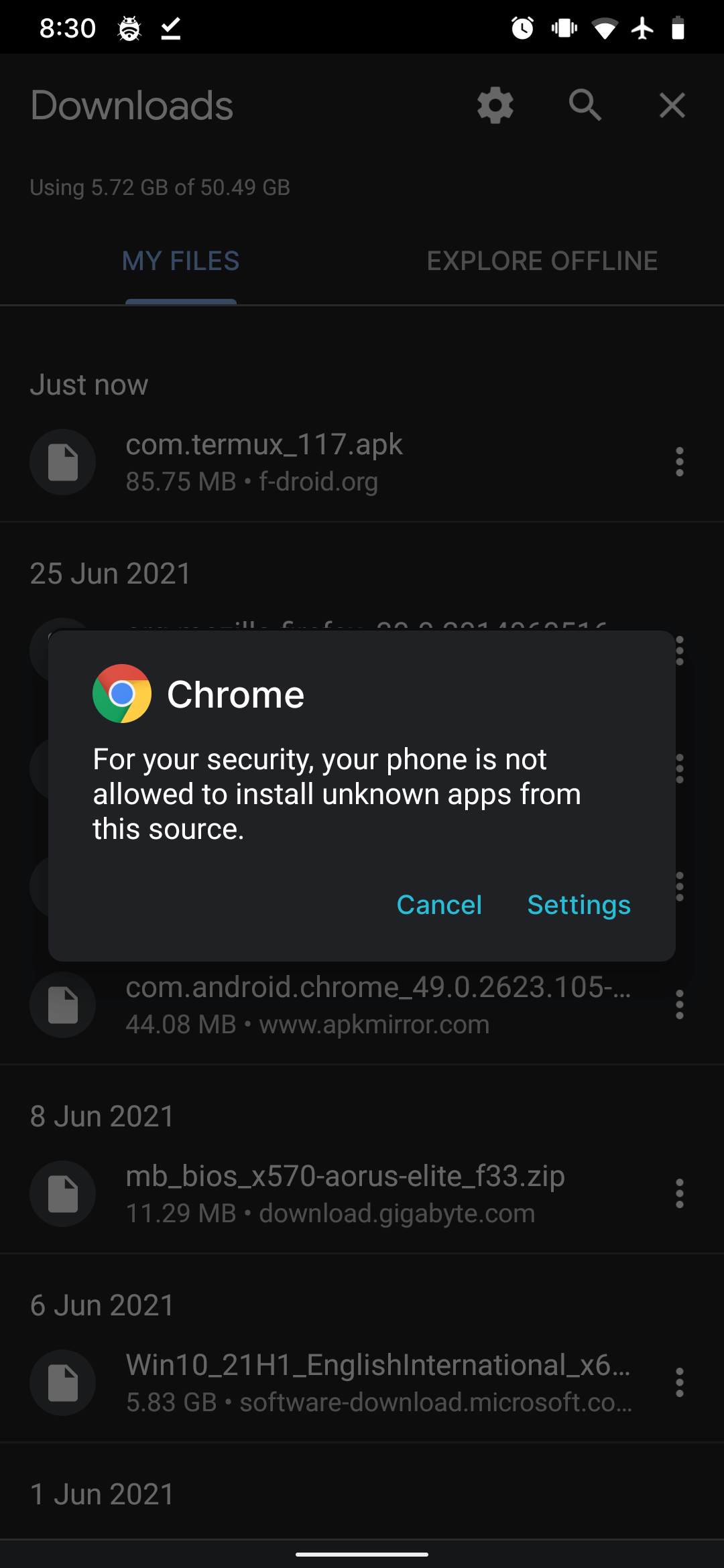
Tap the downloaded file. If you see a popup like this one, tap Settings and turn on the toggle:
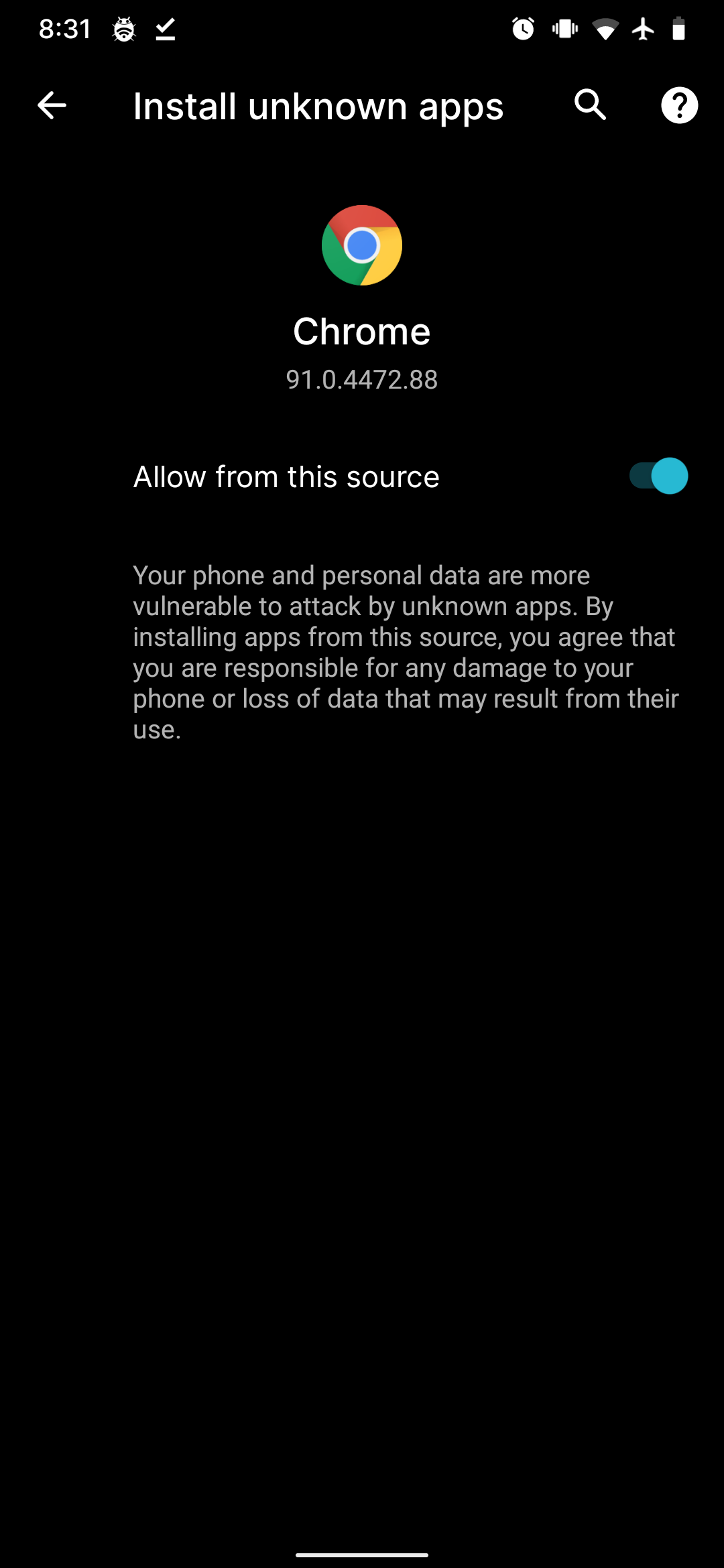
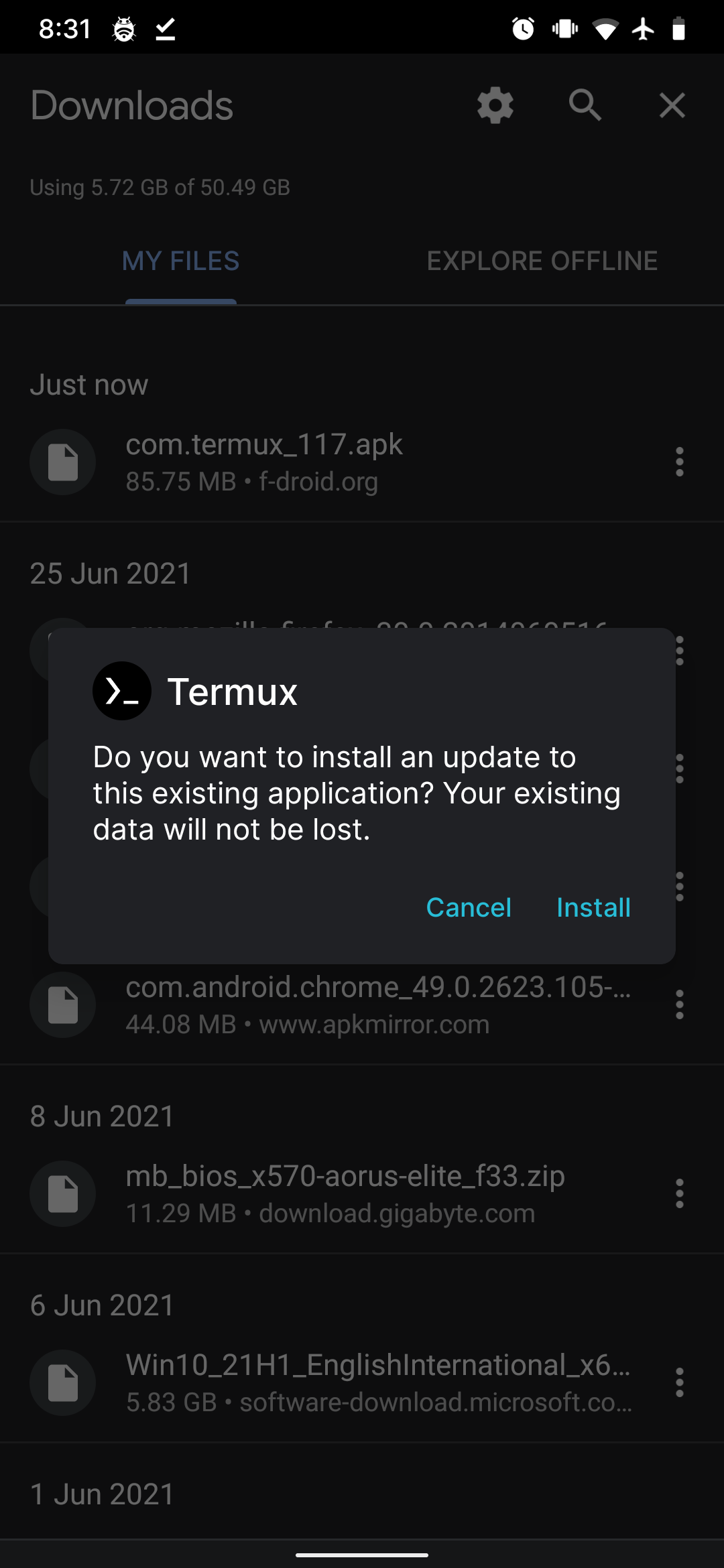
Then go back until you see the install dialog.
Open Termux once
Open Termux and wait until it shows a prompt (~ $). The first start sets up its own files.