
Accessing Internal Storage
Mount your Android phone's internal storage inside an Andronix Linux distro by granting Termux storage access and editing the distro's start script.
Docs for Andronix app 8.x (Classic)
You are reading docs for Andronix app 8.x. Update to app 10 for the new installer: Start here.
This page shows how to make your phone's internal storage available inside your Linux distro. It only takes one command in Termux and a one-line edit to your distro's start script.
Termux Session
First, open a new Termux session (swipe from the left edge to the right) and type:
termux-setup-storageTermux will now ask for Storage permission. Allow the Storage permission.
Open Start File
Once that's done, type:
nano start-(distroname).shMake sure to replace (distroname) with your specific distro name.
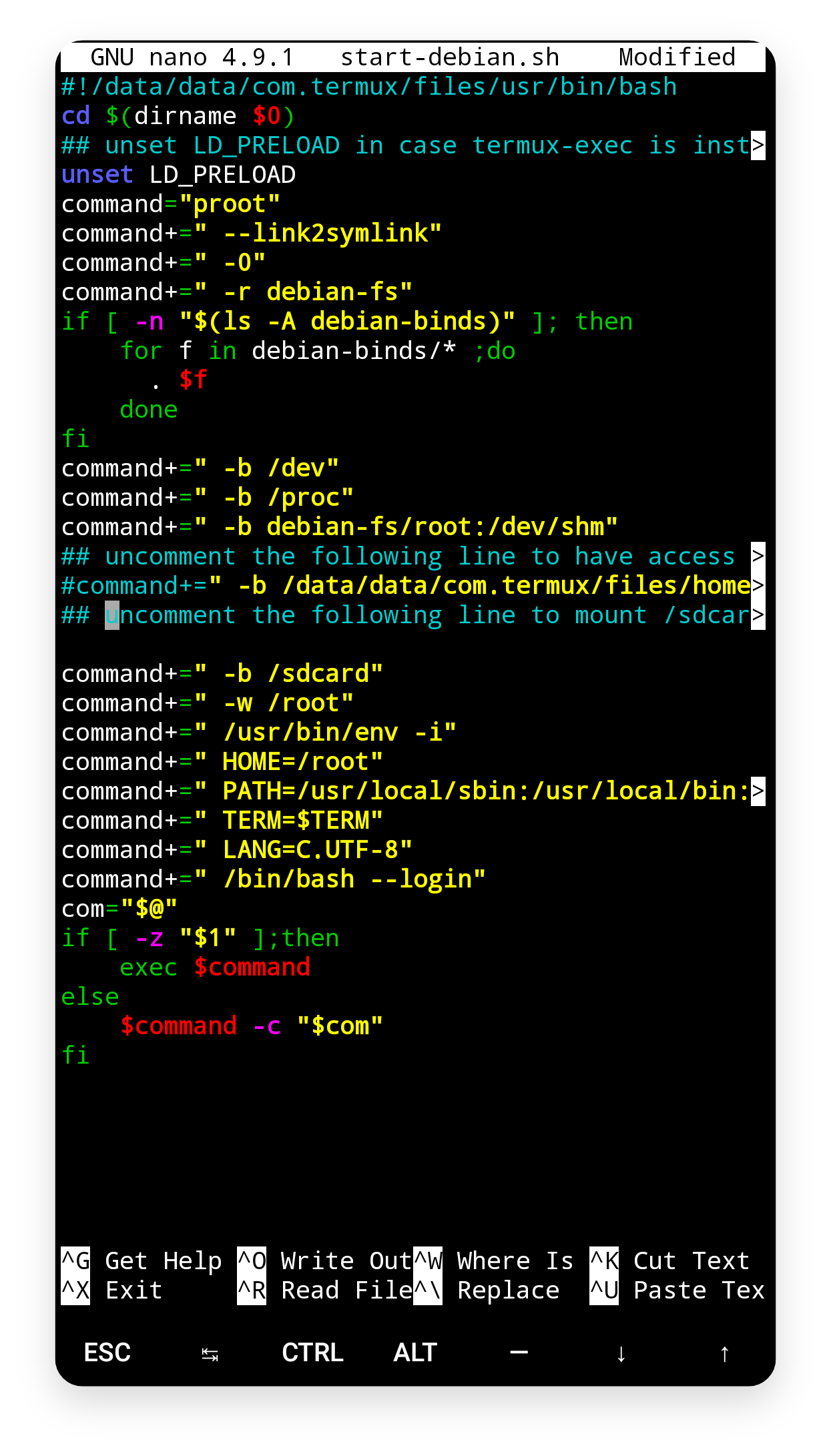
Save
When you're done, press Ctrl+X, then Y, and then Enter. Now start your Linux system and run cd /. You should see a folder named sdcard, which means you have successfully mounted your internal storage.